時期尚早だった:DJI Mic 3へのアップグレードを後悔する理由

@necroliciousjp

時期尚早だった:DJI Mic 3へのアップグレードを後悔する理由 #dji #djimicmini2 #djimic3 #insta360 #creatorsearchinsights

♬ Explosion – Official Sound Studio

Read this article in English/この記事の英語版を読む

日本からトーク動画を撮影する熱心なコンテンツクリエイターとして、スマートフォンベースのワークフローに適した信頼性の高いワイヤレスオーディオを必要としています。2026年2月、DJI Mic 3にアップグレードしました。これは賢明な選択だと確信していました。特別セール価格とMic 2の売却益を合わせると、実質的に無料でアップグレードできたのです。しかし数週間後、2026年4月28日にDJIがMic Mini 2を発表したことで、すぐに後悔することになりました。

これはありきたりな比較ではありません。DJIの既存のエコシステム(Osmo Pocket 3、Nano、スマートフォンのカメラ設定)と並行してMic 3を徹底的にテストした、熱心なユーザーとしての私の正直な体験談です。意思決定プロセス、実際のパフォーマンス、急速な製品リリースという業界全体の状況、そして2026年以降にワイヤレスマイクを購入する前にクリエイター仲間が考慮すべき点について考察します。

DJI Mic 3を購入した理由

当時、この購入は理にかなっているように思えた。各トランスミッターは32GBの内蔵ストレージを備えており、Mic 2の8GB/台と比べて大幅に容量が大きかった。DRAM不足が差し迫っているという噂があったため、価格が上がる前に高性能モデルを確保しておきたかったのだ。Mic 3には、タイムコード対応、1台のレシーバーで最大4台のトランスミッターを接続できる容量、32ビット浮動小数点デュアルレコーディングなど、将来を見据えたプロ仕様の機能も備わっていた。

楽天で購入

セールを利用してMic 2セットを売却することで、私のトークコンテンツにとって、実質的に無料でリスクゼロのアップグレードになったと考えました。

すべてを変えた発表

時は流れて2026年4月下旬、DJIはMic Mini 2を発売しました。同等のフルキットは、Mic 3の半額以下で私のワークフローに必要なすべてを提供してくれるので、待っていれば、コンテンツ制作に必要なすべての要素を完全にカバーしながら、かなりの金額を節約できたはずです。

DJIは同時に、2026年夏発売予定のMic Mini 2Sも発表した。この機種はオンボード録音機能を搭載しているが、私自身は使ったことがないものの、必要とする人もいるだろう。DJIにとってこのような短期間での製品発表は目新しいことではないが、近年その傾向が強まっている。熱心なファンは、今日のモデルが明日の後悔につながるかどうかを常に判断しなければならないというプレッシャーにさらされている。

楽天で購入

さらに問題を複雑にしているのは、Insta360 が NAB Show 2026 で同時に Mic Pro を発表したことです。際立った特徴は、各送信機にカスタマイズ可能な E インク ディスプレイが搭載されていることです。私を含め多くのクリエイターは、特にスポンサーではないブランドの場合、機材に目立つブランド ロゴが付いていることを好みません。Insta360 のソリューションでは、ユーザーが自分のロゴ、名前、またはアートワークを表示してパーソナル ブランディングを行うことができます。Mic Mini 2 の交換可能なマグネット式フェイスプレートは色の変更が可能ですが、E インクのようなブランディングの柔軟性はありません。この記事を書いている時点では、重要な詳細はまだ不明です。ディスプレイの目立ち具合、バックライト オプション、色の制限は不明です。それでも、このコンセプトは私にとって魅力的です。私はPocket 3Nanoカメラ、そして Mic 3 を所有しており、DJI のエコシステムにかなり深く関わっていますが、私の主なセットアップは DJI カメラではなくスマートフォンを使用しているため、Insta360 Mic Pro を統合しても私のプロセスは中断されません。私はこれまでInsta360製品を所有したことはありませんが、このPro Micは歓迎すべき変化であり、詳細な仕様が分かり次第、ぜひ試してみたいと思っています。

色、ブランディング、そして大切なパーソナルなタッチ

緑は私の好きな色です。Mic Mini 2には鮮やかな緑色のフェイスプレートが付属しており、さらに交換可能なマグネット式カバーが虹色に並んでいますが、私はあまり興味がなく、使う機会もありません。あの鮮やかな色はカメラ映えしたでしょう。Mic 3はシンプルな黒のままです。Mic 2用のシリコンスキンは存在しますが、日本ではMic 3用のものは簡単には手に入りません。カバーを3Dプリントすることは理論的には可能ですが、コストと手間を考えると現実的ではありません。

初代Mic Miniが発売された時、少し検討しましたが、クリップが小さかったため、私が愛用しているマイクホルダーと互換性がありませんでした。そのホルダーはMic 2とMic 3の両方と問題なく動作します。プロモーション資料を見る限り、Mic Mini 2はMic 3と同じサイズのクリップを採用しているようです。もしそうであれば、互換性の問題は解決するでしょう。

実体験:マイク3の実際の使用例

購入以来、マイク3を数十回のトークセッション録音に幅広く使用してきました。音質は抜群で、クリアで安定しており、マイク2でMimoアプリでの編集時に時折発生していたポップノイズや1秒程度の遅延も全くありません。接続の安定性も非常に良好です。

唯一目立つ劣化点はキャリングケースで、Mic 2に付属していた重厚で頑丈なケースに比べて、明らかに薄っぺらく、金属感も劣る。しかし、Mic Mini 2で私のニーズは満たされるため、これらの実用的な利点をもってしても、このプレミアム価格を正当化することはできない。

DJIのリリース頻度が、忠実なユーザーでさえも苛立たせる理由

DJIは反復的なイノベーションを通じてコン​​シューマー向けワイヤレスオーディオ市場で圧倒的な地位を築いてきたが、そのペースは今や愛好家を遠ざけるリスクを孕んでいる。Mic 3はMic 2に比べて大幅なアップグレード(送信機の重量が28gから16gに軽量化、バッテリー寿命の向上、高度な処理能力など)を実現して登場した。しかし、Mic Mini 2は価格と重量の両面でMic 3を凌駕しつつ、エコシステム全体での互換性を維持している。クリエイターにとって、この絶え間ない製品チェンジは難しい選択を迫る。今買って陳腐化のリスクを負うか、待って現在の機会を逃すか、どちらかを選ばなければならないのだ。

これは、迅速なイテレーションがエンドユーザーよりもメーカーに利益をもたらすという、より広範な技術トレンドを反映しています。初期のデジタルオーディオレコーダーと2.4GHzワイヤレスシステムへの移行には歴史的な類似例がありますが、DJIの周波数はより速くなっています。実用的な教訓:購入前に、公式発表を注意深く監視し、プロ向け機能(タイムコード、マルチトランスミッター対応、32GBストレージ)が実際のワークフローに合致するかどうかを評価してください。

仕様比較表(並べて表示)

意思決定を支援するため、ここではDJIの主要4機種を、現在の公式仕様と標準フルキット(送信機2台+受信機1台+充電ケース)の希望小売価格に基づいて明確に比較します。Insta360 Mic Proは、執筆時点で詳細な仕様が未公開のため、比較表には含まれていません。

特徴DJI ミニマイク(オリジナル)DJIマイク2DJIマイク3DJI マイクミニ2
現在のメーカー希望小売価格(フルキット)12,980円29,92043,890円14,520円
送信機の重量10グラム28グラム16グラム11グラム
内部ストレージ(TXあたり)なし8GB32GBなし(Mic Mini 2Sにはこれが追加されます)
オンボードレコーディングいいえはい(24ビット/32ビット)はい(デュアルファイル32ビット浮動小数点数)いいえ
32ビット浮動小数点デュアルレコーディングいいえはいはいいいえ(アプリベースの安全追跡機能のみ)
タイムコードのサポートいいえいいえはいいいえ
最大送信機2242(Mic 3エコシステムとの相互互換性あり)
音声トーンプリセットなしなし33(レギュラー、リッチ、ブライト)
ノイズキャンセリングはいはい2階建て2階建て
カラーオプション限定交換可能なマグネット式カバー(黒、白、8色/レインボーカラー)
クリップ/取り付け小型クリップ(一部のホルダーには対応していません)私のホルダーと互換性があります私のホルダーと互換性があります磁石式で回転可能、私のホルダーに合う(?)
伝送範囲400メートル約400メートル約400メートル400m(標準受信)
バッテリー寿命(TX)約11.5時間6時間8時間11.5時間

クリエイターのための実践的なヒント

  1. ワークフローに合わせて機能を選定しましょう。シンプルなトーク番組やモバイル撮影コンテンツを制作するなら、Mic Mini 2の軽量性、長い​​バッテリー駆動時間、そして低価格が優れたコストパフォーマンスを提供します。
  2. ブランディングのニーズも考慮に入れましょう。視覚的な統一性が重要なコンテンツの場合は、Insta360 Mic Proのような電子インク搭載端末と、カラー交換可能なシステムを比較検討してください。
  3. リリースサイクルを監視しましょう。DJIのパターンからすると、数ヶ月ごとに新しいバリエーションが登場するようです。公式チャンネルのカレンダーアラートを設定しましょう。
  4. 互換性は早めにテストしましょう。私のマイクホルダーに関する経験から、購入前にマウントの適合性を確認することの重要性が改めて分かりました。
  5. エコシステムへの囲い込みについて考えてみましょう。DJIマイクの各モデル間の互換性は強みですが、同時にユーザーを段階的なアップグレードに縛り付けてしまう可能性もあります。

次に私がすること

Mic 3を返品することはもうできません。Mic Mini 2を購入することで得られるはずだった節約額は、Mic 3を売って差額を懐に入れる手間よりも大きいので、このまま使い続け、現在必要のない高度な機能がいつか必要になることを期待します。それに、Mic 3の黒い仕上げは、私がよく使う緑色の字幕に多少はマッチしますが、緑色のマイクだと字幕が隠れてしまうかもしれません。Insta360 Mic Proはブランディング実験に使えるので興味はありますが、Mic 3は依然として非常に高性能なツールであり、むしろオーバースペックと言えるほどです。後悔しているのはタイミングであって、品質のせいではありません。

necrolicious.com 内の関連情報へのリンク:

よくある質問

DJI Mic 3は2026年になってもまだ買う価値があるでしょうか?
タイムコード、4台の送信機対応、プロ仕様のマルチカメラ撮影に必要な32GBのストレージ容量などを求めるなら、確かに価値があります。しかし、ほとんどのトーク番組やVlog制作者にとっては、Mic Mini 2の方がコストパフォーマンスに優れています。

Mic Mini 2Sの発売を待つべきでしょうか?
内蔵録音機能が必須であれば、2026年夏発売予定のモデルが望ましいかもしれません。そうでなければ、現行のMic Mini 2で日常的なニーズの大部分は既に満たされています。

Insta360 Mic Proは、ブランディングの面で他社製品と比べてどうでしょうか?
Eインクディスプレイを採用しているため、物理的なカバーなしでカスタムロゴを表示でき、よくある課題を解決します。詳細はまだ発表されていませんが、初期のプレビューを見る限り、ビジュアル重視のクリエイターにとって有望な製品と言えるでしょう。

今回の教訓:綿密な調査をもってしても、製品サイクルの速さを完全に予測することはできない。クリエイター仲間にとって重要なのは、あらゆる新仕様を追い求めるのではなく、実際のワークフローのニーズに合わせて製品を購入することだ。後から振り返ればすべてがはっきり見えるものだが、情報に基づいた忍耐は依然として有効な戦略と言えるだろう。

NECROLICIOUS「豊富」面白い高級スケルトン頭蓋骨ミームTシャツ
SUZURIで購入

特に記載がない限り、上の画像アセットはオリジナルのコンテンツではなく、著作権や所有権を主張せずに公正使用の教義に基づいて共有されています。クレジットや削除に関する問い合わせは、necrolicious@necrolicious.comまでご連絡ください。

この投稿のスポンサーは。。。俺!サポートいただける方は、俺のオリジナルミームグッズをSUZURIでお買い求めいただくか、アフィリエイトリンクをチェックして他の素敵なアイテムをご覧ください。上記の記事には追加の関連リンクが含まれる場合があります。関連リンクをクリックして登録や購入を行うと、コミッションを獲得する場合があります。これはあなたが製品やサービスに対して支払う価格を上げませんので、あなたに費用がかからずこのウェブサイトをサポートするのに役立ちます。

Share this:

Too Soon: Why I Regret Upgrading to the DJI Mic 3

この記事の日本語版を読む/Read this article in Japanese

As a dedicated content creator filming talking-head videos from Japan, I rely on reliable wireless audio that fits my phone-based workflow. In February 2026, I upgraded to the DJI Mic 3, convinced it was the smart move. A special sale price combined with proceeds from selling my Mic 2 made the step up essentially free. Yet weeks later DJI announced the Mic Mini 2 on 28 April 2026, triggering immediate buyer’s remorse.

This is not another generic comparison. It is my honest, first-hand account as an enthusiast who has tested the Mic 3 extensively alongside my existing DJI ecosystem (Osmo Pocket 3, Nano & phone camera setups). I examine the decision-making process, real-world performance, the broader industry context of rapid releases & what fellow creators should consider before committing to any wireless microphone in 2026 & beyond.

Why I Bought the DJI Mic 3

The purchase felt logical at the time. Each transmitter offered 32 GB of internal storage compared with the Mic 2’s 8 GB per unit. With rumours of an impending DRAM shortage I wanted to secure the higher-spec model before any price increase. The Mic 3 also delivered pro features I assumed would future-proof my setup: timecode support, capacity for up to four transmitters on one receiver & 32-bit float dual recording.

Buy on Rakuten Japan

By taking advantage of some sale promotions & selling off my Mic 2 set, my upgrade was, I thought, an essentially free, zero-risk improvement for my talking-head content.

The Announcement That Changed Everything

Fast-forward to late April 2026 & DJI released the Mic Mini 2. At The equivalent full kit delivers everything I actually need for my workflow at less than half the price of the Mic 3, so if I had waited I could have pocketed a significant chunk of change while still having complete coverage of all the bases of my content creation needs.

DJI simultaneously teased the Mic Mini 2S, due summer 2026, which adds onboard recording, which I personally have never used, but some may need. This pattern of rapid launches is not new to DJI but it has intensified lately. Dedicated fans now face constant pressure to decide whether today’s model will be tomorrow’s regret.

Buy on Rakuten Japan

Compounding the issue, Insta360 announced its Mic Pro at the same time during NAB Show 2026. The standout feature is a customisable E-ink display on each transmitter. Many creators, myself included, dislike prominent brand logos on gear, especially when the brand is not a sponsor. The Insta360 solution lets users display their own logo, name or artwork for personal branding. While the Mic Mini 2’s swappable magnetic faceplates allow colour changes, they lack the branding flexibility of E-ink. Key details remain unavailable as of this writing: display prominence, backlighting options & colour restrictions are unclear. Still, the concept appeals to me. I am fairly deep in the DJI ecosystem — with the Pocket 3 & Nano cameras alongside my Mic 3 — yet my primary setup uses my phone rather than my DJI cameras, so integrating the Insta360 Mic Pro would not disrupt my process. Though I have never owned any Insta360 products, this Pro Mic would be a welcome change & I hope to test it when full specifications arrive.

Colour, Branding & the Personal Touches That Matter

Green is my favourite colour. The Mic Mini 2 ships with a vibrant green faceplate option plus a rainbow of additional swappable magnetic covers that I have little interest in or use for. That pop of colour would have been nice on camera. The Mic 3 remains plain black. Silicone skins exist for the Mic 2 but none are readily available for the Mic 3 in Japan. 3D-printing a cover is theoretically possible yet impractical given the cost & effort involved.

I briefly considered the original Mic Mini when it launched but its smaller clip was incompatible with my preferred microphone holder, which works seamlessly with both the Mic 2 & Mic 3. Judging by promotional content alone, Mic Mini 2 seems like it has the same sized clip as the Mic 3. If so, that would resolve the compatibility issue.

First-Hand Performance: Mic 3 in Real Use

I have used the Mic 3 extensively since purchase for dozens of talking-head recording sessions. Sound quality is outstanding: clean, reliable & free of the occasional popping & one-second lag I experienced with the Mic 2 when editing in the Mimo app. Connection stability is rock-solid.

The only noticeable downgrade is the carrying case, which feels noticeably flimsier & less metal than the heavier, sturdier case supplied with the Mic 2. None of these real-world strengths, however, justify the premium price when the Mic Mini 2 meets my needs.

Why DJI’s Release Cadence Frustrates Even Loyal Users

DJI has built a dominant position in consumer wireless audio through iterative innovation, yet the pace now risks alienating enthusiasts. The Mic 3 arrived with meaningful upgrades over the Mic 2 (lighter transmitters at 16 g versus 28 g, improved battery life & advanced processing). Yet the Mic Mini 2 undercuts it on price & weight while retaining cross-compatibility across the ecosystem. For creators, the constant churn forces difficult choices: buy now & risk obsolescence, or wait & miss current opportunities.

This mirrors broader tech trends where rapid iteration benefits manufacturers more than end users. Historical parallels exist in early digital audio recorders & the shift to 2.4 GHz wireless systems, but DJI’s frequency has accelerated. Practical takeaway: monitor official announcements closely & assess whether pro features (timecode, multi-transmitter support, 32 GB storage) align with your actual workflow before purchasing.

Side-by-Side Specification Comparison

To aid decision-making, here is a clear comparison of the four main DJI models based on current official specifications & MSRP for the standard full kit (2 TX + 1 RX + charging case). The Insta360 Mic Pro is excluded from the table because detailed specifications remain unavailable as of this writing.

FeatureDJI Mic Mini (Original)DJI Mic 2DJI Mic 3DJI Mic Mini 2
Current MSRP (full kit)$99$199$259$99
Transmitter Weight10 g28 g16 g11 g
Internal Storage (per TX)None8 GB32 GBNone (Mic Mini 2S adds this)
Onboard RecordingNoYes (24-bit / 32-bit)Yes (dual-file 32-bit float)No
32-bit Float Dual RecordingNoYesYesNo (app-based safety track only)
Timecode SupportNoNoYesNo
Max Transmitters2242 (cross-compatible with Mic 3 ecosystem)
Voice Tone PresetsNoneNone33 (Regular, Rich, Bright)
Noise CancellationYesYes2-level2-level
Colour OptionsLimitedBlackBlackSwappable magnetic covers (black, white + 8 colours/rainbow options)
Clip/MountingSmaller clip (incompatible with some holders)Compatible with my holderCompatible with my holderMagnetic, rotatable, fits my holder(?)
Transmission Range400 m~400 m~400 m400 m (standard RX)
Battery Life (TX)~11.5 hours6 hours8 hours11.5 hours

Practical Takeaways for Creators

  1. Match features to workflow. If you produce straightforward talking-head or mobile-filmed content, the Mic Mini 2’s lighter weight, longer battery life & lower price deliver superior value.
  2. Factor in branding needs. For content where visual cohesion matters, evaluate E-ink options like the Insta360 Mic Pro alongside colour-swappable systems.
  3. Monitor release cycles. DJI’s pattern suggests new variants appear every few months. Set calendar alerts for official channels.
  4. Test compatibility early. My microphone holder experience highlights the importance of verifying mounts before purchase.
  5. Consider ecosystem lock-in. Cross-compatibility across DJI Mic models is a strength, yet it can also trap users in incremental upgrades.

What I Am Doing Next

Returning the Mic 3 is no longer possible the savings I would have had by buying the Mic Mini 2 is greater than the effort of selling the Mic 3 to pocket the difference at this point, so I will just continue using it & hope that the more advanced features I currently have no need for become necessary at some point. Besides, the Mic 3’s black finish somewhat complements my frequently green captions whereas a green microphone may obscure them. I remain curious about the Insta360 Mic Pro for branding experiments, but the Mic 3 remains a vastly capable tool–to the point of overkill; my regret stems from timing, not at all the quality.

Internal links for further reading on necrolicious.com:

FAQ

Is the DJI Mic 3 still worth buying in 2026?
Yes, if you need timecode, four-transmitter support or 32 GB storage for professional multi-camera work. For most talking-head & vlogging creators the Mic Mini 2 offers better value.

Should I wait for the Mic Mini 2S?
If onboard recording is essential, the summer 2026 release may be preferable. Otherwise the current Mic Mini 2 already satisfies the majority of everyday needs.

How does the Insta360 Mic Pro compare for branding?
Its E-ink display enables custom logos without physical covers, solving a common pain point. Full details are pending but early previews are promising for visually focused creators.

Lesson learned: even careful research cannot fully anticipate rapid product cycles. For fellow creators the key is aligning purchases with genuine workflow requirements rather than chasing every new specification. Hindsight may be 20/20 but informed patience remains a decent strategy.


Necrolicious “Abundant” Funny Luxury Skeleton Skull Meme 100% Cotton Unisex Tee
Buy on Printify

Unless otherwise noted, image assets above are NOT original content & are shared under fair use doctrine with NO claims to authorship or ownership.
Contact necrolicious@necrolicious.com for credit or removal.

This post was sponsored by…ME! If you’d like to support, please buy my original meme merchandise or check out my affiliate links to get yourself some other cool things. Additional affiliate links may be contained in the above article. If you click on an affiliate link & sign up/make a purchase, I may earn a commission. This does not increase the price you pay for the product or service, so it helps support this website at no cost to you.

Share this:

DJI Mic Mini 2、4月28日のイベントの1週間前に情報がリーク

DJIの「More Than Sound」ティザーは、2026年4月14日の公開以来、コンテンツクリエイターやオーディオ愛好家の注目を集めています。虹色のパレットで渦巻く花びらのような形を特徴とする抽象的なアニメーションは、鮮やかなデザイン要素を備えた新しいワイヤレスマイクシステムを強く示唆していました。そのわずか数日後、公式イベントの1週間前に、具体的なリーク情報によって製品の正体が明らかになりました。それは、複数の色から選べる公式の交換可能なマグネット式フェイスプレートを備えたDJI Mic Mini 2です。

予告編の憶測からFCCによる確認まで

最初のオンラインプロモーションを見て、私は主に2つの可能性を検討しました。まず、DJIが既存のMic Mini用のカラーバリエーションのシリコンスキンを発売するだけなのではないかと考えました。サードパーティ製の製品は既に豊富に存在しているからです。しかし、Rodeが標準マイクを定番カラーバリエーションで展開している戦略に倣い、複数のカラーバリエーションを持つ新製品が登場する可能性も十分に考えました。ティーザー動画に登場したカラフルな蝶のモチーフは、後者の見方を後押ししましたが、当時は公式の製品画像は一切公開されていませんでした。

規制当局への提出書類が、最初の確かな証拠となった。FCCデータベースのDMMT02モデルのエントリには、DJI Mic Mini 2が明記されており、4月28日の発売時期と関連付けられていた。関連するミドルレンジモデルであるMic Mini 2S(DMMT03)も、米国での認証が取り消される前に一時的に登場していた。これらの文書は、フラッグシップモデルであるMic 3の刷新ではなく、コンパクトで手頃な価格の初代Mic Miniの後継機種であるというコミュニティの期待と完全に一致していた。DJIの他の最近の製品発表と同様に、この新しいマイクセットが米国で購入可能かどうかは依然として不明である。

YouTubeの開封動画が全貌を明らかにする

https://youtu.be/C1gqq7r8zDo?si=D4wgAlLM-MHBXEXN

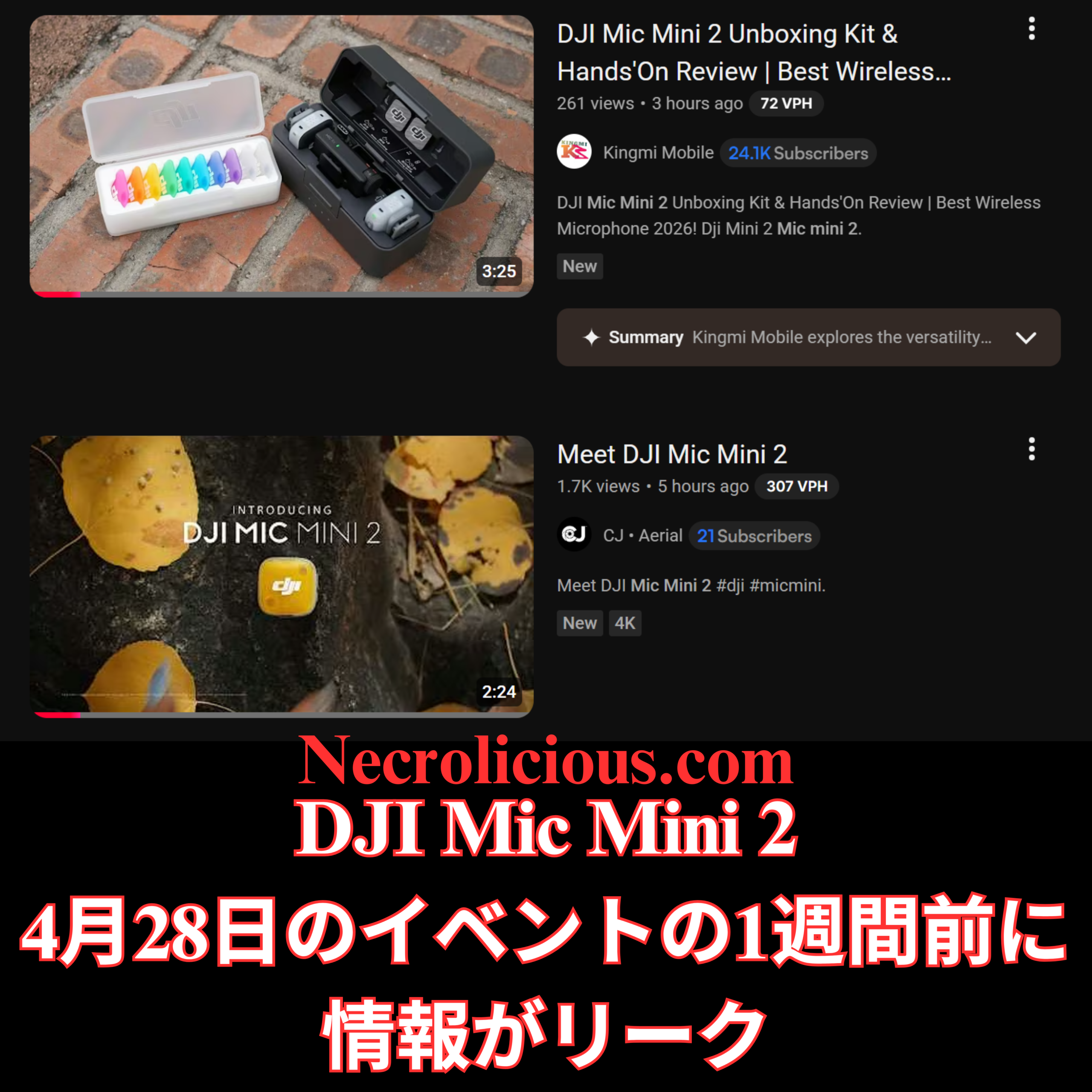
ここ数時間のうちに、独立系クリエイターたちが、疑念を払拭するような初期のハンズオン映像を公開しました。Kingmi Mobileの「DJI Mic Mini 2 開封キット&ハンズオンレビュー」とCJ Aerialの「DJI Mic Mini 2 をご紹介」というタイトルの動画では、黒色の充電ケースと、ホットピンク、オレンジ、イエロー、グリーン、シアン、ブルー、パープルの7つの鮮やかなマグネットパーツが入った専用の白いアクセサリートレイが紹介されています。これらはサードパーティ製のシリコンスキンや永久的に着色された本体ではなく、DJIの公式10ピースマグネット式フェイスプレートシステムの一部であり、ユーザーは服装や撮影環境に合わせてカバーを瞬時に交換できます。

開封レビューによると、DJI Mic Mini 2は前モデルの超軽量フォームファクターを維持しつつ、瞬時にEQ調整が可能なボーカルトーンプリセット、バッテリー寿命の向上、柔軟なUSB-Cレシーバーオプションなど、実用的なアップグレードが追加されていることが確認できる。価格設定も競争力があり、マルチトランスミッターキットはVloggerやモバイルクリエイターにとって手頃な価格帯となっているようだ。

香港製品ページ Ghost Data

展開に関して特に興味深い点の一つは、XのAIであるGrokに詳細を尋ねた際に発生した。Grokは、香港のDJI公式サイトからの情報漏洩/早期発売について具体的に言及した。しかし、私がそのページへのリンクを尋ねて自分で確認しようとしたところ、そのようなページは存在しないことが判明した。GrokがDJI公式サイトでの早期情報漏洩の存在を完全に妄想していたのか、それとも実際に情報漏洩があったものの、その後削除されたのかは不明である。いずれにせよ、この記事執筆時点では、香港を含むどの地域のDJI公式サイトにもMic Mini 2は掲載されていない。

グローバルローンチで期待できること

専用イベント「More Than Sound」は2026年4月28日午前8時(米国東部時間)に予定されているが、香港での先行販売により、愛好家は構成やカラーオプションをいち早く確認できる。DJIはこれまでも地域限定ストアを利用して、本格的な展開前に需要をテストしてきたため、今回のリストはグローバルな価格設定やバンドル内容の信頼できるプレビューとなる。

マグネット式カスタマイズシステム、改良されたオーディオ機能、そして手頃な価格設定など、DJI Mic Mini 2は、実用的かつ視覚的にも特徴的な方法で、DJIのクリエイター向けオーディオエコシステムを拡大する製品となるでしょう。公式イベントが近づくにつれ、詳細が明らかになるにつれ、確定したハードウェア革新と地域限定の早期アクセスという組み合わせは、既存のMicシリーズユーザーと、多用途なワイヤレスオーディオソリューションを求める新規ユーザーの両方にとって魅力的なものとなることが確実視されています。

Share this:

DJI Mic Mini 2 Leaks a Week Ahead of April 28 Event

DJI’s “More Than Sound” teaser has captured the attention of content creators & audio enthusiasts since its release on 14 April 2026. The abstract animation featuring swirling petal-like shapes in a rainbow palette strongly suggested a fresh wireless microphone system with vibrant design elements. Just days later, a full week ahead of the official event, concrete leaks have clarified the product identity: the DJI Mic Mini 2, complete with official interchangeable magnetic faceplates in multiple colours.

From Teaser Speculation to FCC Confirmation

The initial online promotion had me weighing two main possibilities. I had wondered whether DJI would simply release a range of coloured silicone skins for the existing Mic Mini, noting that third-party options already existed in abundance. However, drawing parallels with Rode’s strategy of offering standard microphones in permanent colour variants, I equally anticipated new hardware in several hues. The colourful butterfly motif in the teaser video fuelled the latter view, but no official product imagery appeared at the time.

Regulatory filings provided the first solid evidence. FCC database entries for model DMMT02 explicitly referenced the DJI Mic Mini 2 & tied it to the April 28 launch window. A related mid-tier variant, the Mic Mini 2S (DMMT03), also surfaced briefly before its US certification was withdrawn. These documents aligned perfectly with community expectations of a compact, budget-friendly successor to the original Mic Mini rather than a flagship Mic 3 refresh. As with DJI’s other most recent launches, it remains unclear whether this new mic set will be available for purchase in the US or not.

YouTube Unboxings Reveal the Full Picture

Within the past few hours, independent creators have shared early hands-on footage that removes all doubt. Videos titled “DJI Mic Mini 2 Unboxing Kit & Hands-On Review” from Kingmi Mobile & “Meet DJI Mic Mini 2” from CJ Aerial showcase the black charging case alongside a dedicated white accessory tray holding seven vibrant magnetic pieces: hot pink, orange, yellow, green, cyan, blue & purple. These are not third-party silicone skins or permanent coloured bodies. Instead, they form part of DJI’s official ten-piece magnetic faceplate system, allowing users to swap covers instantly to match outfits or filming environments.

The unboxings confirm the DJI Mic Mini 2 retains the ultralight form factor of its predecessor while adding practical upgrades such as Vocal Tone presets for instant EQ adjustments, enhanced battery life & flexible USB-C receiver options. Pricing appears competitive, with multi-transmitter kits positioned accessibly for vloggers & mobile creators.

The Hong Kong Product Page Ghost Data

One particularly curious element of the rollout occurred when I asked X’s AI, Grok, for further details on this. It specifically mentioned a leak/early launch from the official Hong Kong DJI website. However, when I asked for a link to review the page myself, it could find evidence of no such page. It is not clear if Grok entirely hallucinated the existence of the early on. Leak on the official DJI website or if it actually happened, but was subsequently cleaned up. Either way, no Hong Kong or any other region of DJI’s website currently displays the Mic Mini 2 as of this writing.

What to Expect from the Global Launch

With the dedicated “More Than Sound” event still set for 28 April 2026 at 8 AM EDT, the early Hong Kong availability offers enthusiasts a head start on reviewing configurations & colour options. DJI has historically used regional stores to test demand before wider rollouts, so the current listing provides a reliable preview of global pricing & bundles.

Whether the focus is on the magnetic customisation system, improved audio features or the accessible price point, the DJI Mic Mini 2 looks set to expand DJI’s creator audio ecosystem in a practical & visually distinctive manner. As more details emerge closer to the official event, the combination of confirmed hardware innovations & regional early access ensures this launch will appeal to both existing Mic series users & newcomers seeking versatile wireless audio solutions.

Unless otherwise noted, image assets above are NOT original content & are shared under fair use doctrine with NO claims to authorship or ownership.
Contact necrolicious@necrolicious.com for credit or removal.

This post was sponsored by…ME! If you’d like to support, please buy my original meme merchandise or check out my affiliate links to get yourself some other cool things. Additional affiliate links may be contained in the above article. If you click on an affiliate link & sign up/make a purchase, I may earn a commission. This does not increase the price you pay for the product or service, so it helps support this website at no cost to you.

Share this:

DJI Osmo Pocket 4の発売日は2026年4月16日に確定

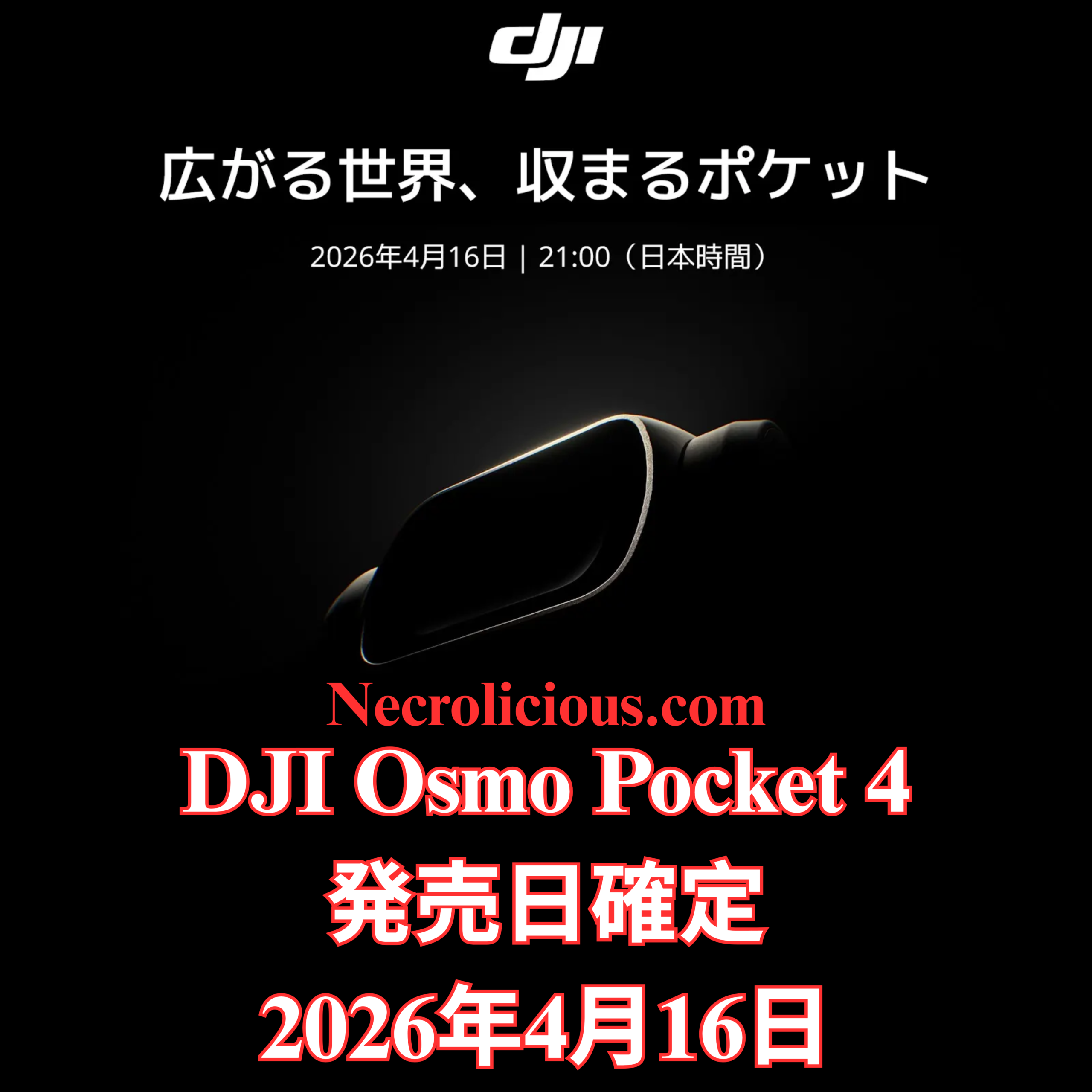
DJIは、次世代ポケットジンバルカメラ「Osmo Pocket 4」の発売を正式に予告しました。Osmo Pocket 4は、2026年4月16日午後12時(グリニッジ標準時)に発売予定です。この発表では、このコンパクトなデバイスが「ポケットの中の世界」を捉えることができる点を強調し、世界中のコンテンツクリエイターやビデオグラファーの期待を高めています。

Osmo Pocketシリーズの簡単な歴史

Osmo Pocketシリーズは、発売以来、超ポータブルな形状でプロ仕様の手ブレ補正機能を求める旅行者、Vlogger、映画制作者の間で人気を集めてきました。Osmo Pocket 3では、画質、バッテリー寿命、クリエイティブ機能が大幅に向上し、ポケットサイズのカメラ市場におけるDJIの地位を確固たるものにしました。Osmo Pocket 4では、DJIはさらなる改良を加え、外出先でも高品質な映像をより手軽に撮影できるようにすることに重点を置いているようです。

公式発表イベントを前に詳細な仕様はまだ明らかにされていないものの、ティザー映像からは、直感的なデザインと映像表現に引き続き重点が置かれていることがうかがえる。このデバイスは、かさばる機材を必要とせずに信頼性の高いパフォーマンスを求めるアマチュア愛好家とプロのクリエイターの両方にアピールすると期待されている。

楽天で購入

今回のローンチがユーザーにとって意味すること

今回のグローバルローンチは、DJIが地域を問わず同時に販売網を拡大していく上で重要な節目となります。ご興味のある方は、dji.comの公式ティザーページをご覧ください。また、予約注文情報、価格、機能の詳細が発表され次第、DJIの公式チャンネルでお知らせいたしますので、ご確認ください。

シリーズを追ってきたファンにとって、前モデルから約2年ぶりの登場はまさに絶妙なタイミングと言えるでしょう。Osmo Pocket 4は、シリーズの特徴である3軸手ぶれ補正機能に加え、低照度性能やクリエイティブツールの面でさらなる改善が期待されます。

コンテンツクリエイターや写真愛好家は、DJIがポケットサイズのカメラの可能性をさらに広げ続けるこの日を間違いなく注目するだろう。Osmo Pocket 4は、ポータブルシネマティックテクノロジーの最新進化形であり、発売当初の反応から、コミュニティ全体で大きな関心が寄せられていることがうかがえる。

NECROLICIOUS「写真映え」面白い吸血鬼ノスフェラトゥハロウィンミームTシャツ
SUZURIで購入

特に記載がない限り、上の画像アセットはオリジナルのコンテンツではなく、著作権や所有権を主張せずに公正使用の教義に基づいて共有されています。クレジットや削除に関する問い合わせは、necrolicious@necrolicious.comまでご連絡ください。

この投稿のスポンサーは。。。俺!サポートいただける方は、俺のオリジナルミームグッズをSUZURIでお買い求めいただくか、アフィリエイトリンクをチェックして他の素敵なアイテムをご覧ください。上記の記事には追加の関連リンクが含まれる場合があります。関連リンクをクリックして登録や購入を行うと、コミッションを獲得する場合があります。これはあなたが製品やサービスに対して支払う価格を上げませんので、あなたに費用がかからずこのウェブサイトをサポートするのに役立ちます。
Share this:

DJI Osmo Pocket 4 Release Date Confirmed for April 16, 2026

DJI has officially teased the launch of its next-generation pocket gimbal camera with the Osmo Pocket 4 set to debut on April 16, 2026 at 12:00 PM GMT. The announcement highlights the compact device’s ability to capture “the world in my pocket” & builds anticipation among content creators & videographers worldwide.

A Brief History of the Osmo Pocket Series

Since its debut, the Osmo Pocket line has become a favourite among travellers, vloggers & filmmakers seeking professional stabilisation in an ultra-portable form. The Osmo Pocket 3 introduced significant upgrades in image quality battery life & creative features which helped solidify DJI’s position in the pocket-sized camera market. With the Osmo Pocket 4, DJI appears ready to refine the formula further, focusing on even greater accessibility for capturing high-quality footage on the go.

While full specifications remain under wraps ahead of the official event, early indications from the teaser suggest continued emphasis on intuitive design & cinematic results. The device is expected to appeal to both amateur enthusiasts & professional creators who require reliable performance without bulky equipment.

Buy on Rakuten Japan

What the Launch Means for Users

The global launch marks an important milestone as DJI expands availability simultaneously across regions. Interested parties can learn more via the official teaser page at dji.com & should monitor DJI’s channels for pre-order information pricing & complete feature details once revealed.

For those who have followed the series the timing feels particularly timely coming nearly two years after the previous model. The Osmo Pocket 4 promises to deliver the signature three-axis stabilisation that has defined the range alongside potential improvements in low-light performance & creative tools.

Content creators & photography enthusiasts alike will no doubt mark the date as DJI continues to push the boundaries of what a pocket-sized camera can achieve. The Osmo Pocket 4 represents the latest evolution in portable cinematic technology & early reactions suggest strong interest across the community.

Necrolicious “Photogenic” Funny Nosferatu Vampire Meme 100% Cotton Unisex Tee
Buy on Printify

Unless otherwise noted, image assets above are NOT original content & are shared under fair use doctrine with NO claims to authorship or ownership.
Contact necrolicious@necrolicious.com for credit or removal.

This post was sponsored by…ME! If you’d like to support, please buy my original meme merchandise or check out my affiliate links to get yourself some other cool things. Additional affiliate links may be contained in the above article. If you click on an affiliate link & sign up/make a purchase, I may earn a commission. This does not increase the price you pay for the product or service, so it helps support this website at no cost to you.

Share this:

DJI Osmo Nanoはオープンゲートで撮影出来ますか?はい、出来ます。その使い方をご紹介します。

DJIのような大企業とOsmo Nanoのような名高いカメラにしては、「DJI Nanoはオープンゲートで撮影できますか?」という質問に対する答えを探しても、驚くほど情報が少ない。答えはイエスで、Osmo Nanoはフルセンサー4K 4:3録画機能により、印象的な結果でそれを実現している。オープンゲートを知らない人のために説明すると、これは誰でも撮影できる最も汎用性の高いフォーマットである。オープンゲートで撮影する主な利点は、編集時に汎用性が高く、ソーシャルメディアプラットフォームによって課せられる比率制限を満たすためにビデオを縮小する際に、より広い選択肢から選べることである。これが理解しにくい場合は、ほとんどのデバイス、特にスマートフォンのカメラでは、9:16比率、16:9比率、または1:1の正方形比率のいずれかを選択する必要があることを認識するだけでよい。オープンゲートでは、専用のフレームに固定されるのではなく、カメラのセンサー全体を使用する。16:9の幅全体と9:16の高さ全体が得られる。このフルセンサーアプローチは、一度体験すれば解放感をもたらす創造的な可能性を広げ、1回の撮影からあらゆるプラットフォームに対応できる洗練された複数の成果物を生み出す。

DJI OSMO NANOを
楽天で購入

DJI Osmo Nanoでのオープンゲート撮影とは何ですか?

オープンゲート撮影とは、カメラのセンサーの読み出し領域全体を使用して、カメラ内でクロップを適用せずにビデオをキャプチャすることを指します。DJI Osmo Nanoでは、1/1.3インチCMOSセンサーにより、最大4Kのネイティブ4:3解像度で記録することでこれを実現しています。その結果、水平軸と垂直軸の両方で最大限のピクセル情報を保持する映像が得られます。キャプチャ時にセンサーデータを破棄する従来の固定アスペクト比とは異なり、オープンゲートではすべてのフレーミングの決定をポストプロダクションに委ねます。このアプローチは、ネガまたはデジタルセンサー全体を最初に露光し、必要に応じてクロップまたはリフレーミングするプロの映画制作ワークフローを模倣しています。Osmo Nanoの場合、オープンゲートモードは、広い水平視野と拡張された垂直キャンバスの利点を効果的に組み合わせ、クリエイターが品質を損なうことなく1回のテイクから複数の成果物を抽出できるようにします。この柔軟性により、オープンゲートは、ペースの速い、または予測不可能な撮影環境で効率性とクリエイティブなコントロールを重視するクリエイターにとって特に魅力的なものとなっています。

コンテンツクリエイター向けOpen Gateの活用事例

DJI Osmo Nanoのオープンゲート機能は、柔軟性が最優先される多様な撮影シーンで活用できます。歩きながら話すVloggerや、機敏に動き回る映像制作者は、特定の向きを事前に決めることなく、ダイナミックな動きを捉えることができるため、大きなメリットを得られます。アクションやPOV撮影では、カメラのマグネット式マウントシステムとコンパクトな形状により、自然なアングルで撮影できるため、大きな効果を発揮します。また、オープンゲート機能により、後からあらゆる向きに合わせて映像を再構成することも可能です。旅行系Vloggerやドキュメンタリー制作者は、この機能を使って、風景のヒーローショットや縦長のソーシャルクリップなど、様々な用途に使える臨場感あふれるワイドシーンを撮影できます。自動車や製品の映像制作(レビューや開封動画など)では、一度の撮影でフル解像度の水平バージョンと垂直バージョンを同時に記録できるため、複数のセットアップや撮り直しが不要になります。ワイドスクリーンプレゼンテーションと縦長のソーシャルストーリーの両方に対応できる成果物が必要な企業やイベントのビデオ制作においても、オープンゲート機能はワークフローを効率化し、ストレージ容量の消費を抑えます。 DJI Osmo NanoのRockSteady手ブレ補正機能は、このフォーマットと自然にマッチし、編集ソフトウェアで最終的にどのような比率を選択しても、リフレーミングされた映像が滑らかでプロフェッショナルな仕上がりになることを保証します。

オープンゲートワークフローにおける4:3の比率

4:3のアスペクト比は、センサーのネイティブな比率に非常に近いため、DJI Osmo Nanoでのオープンゲート撮影の基盤となります。4K解像度では、これは3840×2880ピクセルに相当し、バランスの取れたキャンバス(縦よりも横が広い)を提供します。4:3のオープンゲートで撮影すると、映画のような風景ショットに必要な水平方向の幅をフルに維持しながら、トリミングに使用できる余分な垂直方向のピクセルを獲得できます。ポストプロダクションのエディターでは、上下をマスクまたはトリミングするだけで、きれいな16:9のフレームを作成したり、縦構図のために高さをより多く残したりできます。この比率は、解像度を損なうことなくクリエイティブな自由度を最大化し、進化するプラットフォーム要件に対応できる将来性のある映像を提供します。Osmo Nanoのユーザーは、カメラのビデオ設定で4:3を選択することで、センサーの真の可能性を解き放ち、単一の録画をあらゆる配信チャネルに対応したマルチフォーマットのアセットに変換できます。

3:4比率と縦型コンテンツにおけるその役割

4:3 は水平方向のオープンゲートの基準ですが、3:4 は垂直方向の対応物であり、ポートレート指向の成果物にとって同様に価値があります。基本的に 4:3 (幅よりも高さがある) を 90 度回転させた 3:4 フレームは、センサーの高さ全体を使用し、幅を狭めることで、特定のソーシャル フォーマットに最適な、より縦長の構図を作成します。DJI Osmo Nano では、4:3 で撮影したオープンゲート映像を編集時に回転およびトリミングして、高解像度のネイティブ 3:4 出力を実現できます。これは、9:16 よりもやや極端な縦方向のフレーミングを好むプラットフォームや、同じタイムライン内で横長と縦長の要素をミックスするハイブリッド プロジェクトに特に役立ちます。Instagram カルーセル、YouTube コミュニティ投稿、または従来の放送フォーマットで作業するクリエイターは、3:4 が超縦長の 9:16 よりもより古典的な比率を提供しながらも、シャープなダウンスケーリングに必要なピクセル密度を提供するため、3:4 を高く評価しています。開門時の映像から3:4のアスペクト比を抽出できる機能により、撮影時の推測作業が不要になり、様々なメディアを組み合わせたキャンペーン全体で一貫した品質が保証されます。

Xのソーシャルメディア比率基準と最適化

ソーシャルメディア プラットフォームは、最適な表示とパフォーマンスのために特定のアスペクト比を強制しますが、DJI Osmo Nano のオープン ゲート撮影は、1 つのマスター ファイルからそれらすべてを満たす最も効率的な方法を提供します。横長 16:9 は、YouTube の長尺動画や従来の動画広告の標準であり、縦長 9:16 は、TikTok、Instagram Reels、YouTube Shorts で主流です。正方形 1:1 は、特定の Instagram や Facebook の投稿で引き続き良好なパフォーマンスを発揮します。3:4 の比率は、Pinterest や古いモバイル フィードなどのニッチなアプリケーションに適しています。以前は Twitter と呼ばれていた X は、幅広い比率をサポートするように動画の標準を進化させましたが、デスクトップ表示では 16:9、モバイル ファーストのスクロールでは 9:16、クイック エンゲージメントでは 1:1 で最高のパフォーマンスを発揮します。X は、圧縮アーティファクトを避けるために、横長の場合は 1920 x 1080、縦長の場合は 1080 x 1920 でアップロードすることを推奨しており、正しい向きを自動的に検出して表示します。 Osmo Nanoのオープンゲート機能は、縦横両方向の余剰ピクセルを捉えるため、クリエイターは再撮影やディテールの損失なしに、プラットフォーム固有のバージョンをエクスポートできます。特に、オープンゲート映像から抽出した3:4の動画は、横幅よりも縦長でありながら、9:16コンテンツでよく見られる顕著な縮小効果を回避しています。最新のXモバイルフィードでは、これらの比率により、画面を過度に窮屈に感じさせることなくエレガントに埋め尽くす、よりバランスの取れた視覚的に魅力的な映像が実現します。この単一ソースのワークフローにより、時間の節約、編集作業の負担軽減、そして縦型動画がインプレッションの大部分を占めるようになったXおよび競合ネットワーク全体での最大限のリーチが保証されます。

DJI Osmo Nanoのオープンゲートモードへのアクセス方法と使用方法

オープンゲートについてすべて読んだので、おそらく自分で試してみたくなるでしょう。手順は簡単ですが、最新の DJI Nano ファームウェアにすでにアップデートしている場合は、残念ながら少し複雑になっている可能性があります。最新のファームウェアアップデートには、アスペクト比ロックが含まれています。このロックにより、9:16 または 16:9 で撮影するためにカメラの向きだけに頼る必要がなくなり、出力の向きを気にすることなく、カメラ本体を自由に動かすことができます。ただし、9:16 または 16:9 のロックされた向きモードを使用すると、オープンゲートのオプションが表示されません。これにより、「私のモデルはオープンゲートを含めるには古すぎるのか?」または「DJI はこの機能を削除したのか?」と考えるかもしれません。答えはどちらでもありません。オープンゲートにはまだアクセスできますが、最初に行う必要があるのは、16:9 または 9:16 を選択する向きメニューに戻り、代わりに最初のオプションである「自動」を選択することです。そうすることで初めて、1080p、2.7K、4K 用の 3:4 オープンゲートオプションが表示されます。念のため申し上げますが、自動モードの場合、フレームロックは完全に無効になり、4:3 または 3:4 の向きにしたい場合はカメラ本体を自分で配置する必要があります。オープンゲートを見つけるのが少し難しくなったのは残念ですが、確かに存在します。おそらく、今後のファームウェアアップデートで、DJI はこれを 9:16 および 16:9 と並んで比率ロックに追加し、誰もが簡単に見つけられるようにするでしょう。

ゲートを開けるモードにアクセスするには、以下の手順に従ってください。

  1. カメラ設定で方向メニューを開きます。
  2. 固定された9:16または16:9モードではなく、「自動」を選択してください。
  3. 3:4のオープンゲートオプションが、1080p、2.7K、および4Kで表示されるようになりました。

DJI Osmo Nanoのオープンゲート機能を活用することで、コンテンツクリエイターは最終的なフレーミングと配信をかつてないほど自在にコントロールできるようになります。フルセンサー方式を採用したこのカメラは、携帯性に優れたデザインと堅牢な手ブレ補正機能により、複数のプラットフォームで動画を制作するすべての人にとって戦略的なツールとなるでしょう。

この記事の内容は、特に DJI Osmo Nano に関するものです。読者の中には、「世界的に有名な DJI Pocket 3 もオープン ゲートで撮影できるのか?」と疑問に思う人もいるかもしれません。残念ながら、この記事を書いている時点ではできません。しかし、DJI が将来のファームウェア アップデートでこの機能を追加することを選択した場合、その可能性はあります。それまでの間、4:3 または 3:4 のオープン ゲート比率を希望する人は、DJI Mimo アプリを使用してこの形式でビデオをエクスポートすることもできます。ただし、これは少し逆説的な概念です。オープン ゲートで録画する目的は、追跡している特定の撮影対象など、特定の詳細をズームインするための広いスペースを確保することだからです。したがって、X フィードの投稿でビデオに割り当てられたスペースをうまく埋める以外に、この機能にはほとんど意味がありません。

SUZURIで購入

特に記載がない限り、上の画像アセットはオリジナルのコンテンツではなく、著作権や所有権を主張せずに公正使用の教義に基づいて共有されています。クレジットや削除に関する問い合わせは、necrolicious@necrolicious.comまでご連絡ください。

この投稿のスポンサーは。。。俺!サポートいただける方は、俺のオリジナルミームグッズをSUZURIでお買い求めいただくか、アフィリエイトリンクをチェックして他の素敵なアイテムをご覧ください。上記の記事には追加の関連リンクが含まれる場合があります。関連リンクをクリックして登録や購入を行うと、コミッションを獲得する場合があります。これはあなたが製品やサービスに対して支払う価格を上げませんので、あなたに費用がかからずこのウェブサイトをサポートするのに役立ちます。

Share this:

Does the DJI Osmo Nano Shoot Open Gate? Yes, It Does – Here’s How to Use It

For a company as big as DJI & a camera as prestigious as the Osmo Nano, there is surprisingly little information available when searching for answers to the question “Can the DJI Nano shoot open gate?”. The short answer is yes, & the Osmo Nano does so with impressive results through its full-sensor 4K 4:3 recording capability. If you are not familiar with open gate, it is the most versatile format that anyone can shoot in. The key advantage of shooting open gate is the versatility it offers when editing as it gives you a much wider field from which to choose when downsizing your video to meet ratio limitations enforced by social media platforms. If you are having trouble understanding this simply recognise most devices especially phone cameras force you to choose between 9:16 ratio, 16:9 ratio or 1:1 square ratio. With open gate rather than locking yourself to a dedicated frame you utilise your camera’s entire sensor. You get the entire width of 16:9 & the entire height of 9:16. This full-sensor approach opens up creative possibilities that feel liberating once experienced, transforming a single take into multiple polished deliverables ready for any platform.

DJI OSMO NANO
Buy on Rakuten Japan

What Is Open Gate Shooting on the DJI Osmo Nano?

Open gate shooting refers to capturing video using the full readout of the camera’s sensor without applying any in-camera crop. On the DJI Osmo Nano this is achieved through its 1/1.3-inch CMOS sensor which records in native 4:3 resolution at up to 4K. The result is footage that preserves maximum pixel information across both the horizontal & vertical axes. Unlike traditional locked aspect ratios that discard sensor data at the point of capture open gate defers all framing decisions to post-production. This approach mirrors professional cinema workflows where the full negative or digital sensor is exposed first & then cropped or reframed as needed. For the Osmo Nano the open gate mode effectively combines the benefits of a wide horizontal field with an extended vertical canvas allowing creators to extract multiple deliverables from a single take without quality loss. It is this flexibility that makes open gate particularly exciting for creators who value efficiency & creative control in fast-paced or unpredictable shooting environments.

Open Gate Use Cases for Content Creators

The practical applications of open gate on the DJI Osmo Nano extend across diverse shooting scenarios where flexibility is paramount. Walk-and-talk vloggers & run-and-gun filmmakers benefit from the ability to capture dynamic movement without committing to a specific orientation upfront. Action & POV filming benefit immensely because the camera’s magnetic mounting system & compact form factor encourage spontaneous angles, yet open gate ensures footage can later be reframed for any orientation. Travel vloggers & documentary makers use it to capture immersive wide scenes that can be repurposed into both landscape hero shots & portrait social clips. In automotive or product cinematography, including reviews & unboxings, a single pass records full-resolution horizontal & vertical versions simultaneously, eliminating the need for multiple setups or retakes. Even for corporate or event videography where deliverables must serve both widescreen presentations & vertical social stories, open gate streamlines workflow & reduces storage demands. The DJI Osmo Nano’s RockSteady stabilisation pairs naturally with this format ensuring that reframed extracts remain smooth & professional regardless of the final ratio chosen in editing software.

The 4:3 Ratio in Open Gate Workflow

The 4:3 ratio serves as the foundation for open gate shooting on the DJI Osmo Nano because it closely matches the sensor’s native proportions. At 4K resolution this translates to 3840 by 2880 pixels, providing a balanced canvas (wider than it is tall). When shooting in 4:3 open gate you retain the full horizontal width required for cinematic landscape shots while gaining extra vertical pixels that can be used for cropping. In post-production editors simply mask or crop the top & bottom to produce a clean 16:9 frame or retain more of the height for vertical compositions. This ratio maximises creative freedom without compromising resolution & it future-proofs footage against evolving platform requirements. For users of the Osmo Nano selecting 4:3 in the camera’s video settings unlocks the true potential of the sensor & transforms a single recording into a multi-format asset ready for any distribution channel.

The 3:4 Ratio & Its Role in Vertical Content

While 4:3 is the horizontal open gate baseline the 3:4 ratio represents its vertical counterpart & proves equally valuable for portrait-oriented deliverables. Essentially a 90-degree rotation of 4:3 (taller than it is wide), the 3:4 frame utilises the sensor’s full height while narrowing the width to create a taller composition ideal for certain social formats. On the DJI Osmo Nano open gate footage shot in 4:3 can be rotated & cropped in editing to achieve a native 3:4 output at high resolution. This is particularly useful for platforms that favour slightly less extreme vertical framing than 9:16 or for hybrid projects that mix landscape & portrait elements within the same timeline. Creators working on Instagram carousels, YouTube community posts or legacy broadcast formats appreciate 3:4 because it offers a more classical proportion than ultra-tall 9:16 yet still delivers the pixel density needed for sharp downscaling. The ability to extract 3:4 from open gate footage eliminates guesswork at capture time & ensures consistent quality across mixed-media campaigns.

Social Media Ratio Standards & Optimisation for X

Social media platforms enforce specific aspect ratios for optimal display & performance & open gate shooting on the DJI Osmo Nano provides the most efficient way to satisfy them all from one master file. Horizontal 16:9 remains the standard for YouTube long-form & traditional video ads while vertical 9:16 dominates TikTok, Instagram Reels & YouTube Shorts. Square 1:1 continues to perform well for certain Instagram & Facebook posts. The 3:4 ratio fits niche applications such as Pinterest or older mobile feeds. X, formerly Twitter has evolved its video standards to support a wide range of ratios but performs best with 16:9 for desktop viewing, 9:16 for mobile-first scrolling & 1:1 for quick engagement. X recommends uploading at 1920 by 1080 for horizontal or 1080 by 1920 for vertical to avoid compression artefacts & it automatically detects & displays the correct orientation. Because open gate on the Osmo Nano captures surplus pixels in both dimensions, creators can export platform-specific versions without re-shooting or losing detail. Notably the 3:4 extracts from open gate footage deliver videos that are taller than wide while avoiding the pronounced shrinking effect often seen with 9:16 content. In the latest X mobile feed these proportions create a more balanced & visually appealing presence that fills the screen elegantly without feeling overly constrained. This single-source workflow saves time, reduces editing overhead & ensures maximum reach across X & competing networks where vertical video now drives the majority of impressions.

How to Access & Use Open Gate Mode on the DJI Osmo Nano

Now that you have read all about open gate you are probably eager to try it yourself. The process is straightforward but if you have already updated to the latest DJI Nano firmware this unfortunately may have complicated matters slightly. What came with the latest firmware update was a ratio lock. This lock means that you no longer have to rely solely on camera orientation in order to film in 9:16 or 16:9 & can instead move the camera body as freely as you wish without having to worry about output orientation. However, if you utilise 9:16 or 16:9 locked orientation modes you will not see any open gate option. This might prompt you to think “Is my model too old to include open gate?” or “Did DJI remove this feature?” The answer is neither. You can still access open gate but what you must first do is go back to the orientation menu where you pick 16:9 or 9:16 & instead pick the very first option of “Automatic.” Only then will you be able to see the 3:4 open gate option for 1080p, 2.7K & 4K. In case it was not abundantly clear, being in automatic mode means that you are absolutely not frame locked & must position the camera body yourself if you wish to have 4:3 or 3:4 orientation. While it is a little unfortunate that it has become somewhat more difficult to find open gate, rest assured that it is there. Perhaps in a future firmware update DJI will add it to the ratio lock alongside the 9:16 & 16:9 to make it just a little bit easier for everyone to find.

To access open gate mode follow these steps:

  1. Open the orientation menu in the camera settings.
  2. Select Automatic instead of the locked 9:16 or 16:9 modes.
  3. The 3:4 open gate option will now appear for 1080p, 2.7K. & 4K.

By leveraging the DJI Osmo Nano’s open gate capability, content creators gain unprecedented control over final framing & distribution. The camera’s full-sensor approach combined with its portable design & robust stabilisation positions it as a strategic tool for anyone producing video across multiple platforms.

The content of this article pertains specifically to the DJI Osmo Nano. Some readers may wonder “Does the world-famous DJI Pocket 3 also shoot in open gate?: Unfortunately, it does not, as of the time of this writing. However, the potential exists should DJI ever opt to include it in a future firmware update. In the meantime anyone that wishes to have the 4:3 or 3:4 open gate ratio can also export any video in this format using the DJI Mimo app. However, this is a little bit of a backward concept because the point of recording in open gate is to have a wider space to zoom in on specific details such as a particular filming subject being tracked. Therefore there is little point in this feature apart from nicely filling out the space allotted to videos in posts on the X feed.

Buy on Printify

Unless otherwise noted, image assets above are NOT original content & are shared under fair use doctrine with NO claims to authorship or ownership.
Contact necrolicious@necrolicious.com for credit or removal.

This post was sponsored by…ME! If you’d like to support, please buy my original meme merchandise or check out my affiliate links to get yourself some other cool things. Additional affiliate links may be contained in the above article. If you click on an affiliate link & sign up/make a purchase, I may earn a commission. This does not increase the price you pay for the product or service, so it helps support this website at no cost to you.

Share this:

DJI Nano 2026年2月ファームウェアアップデート:新機能と機能強化

@necroliciousjp

DJI Nano 2026年2月ファームウェアアップデート:新機能と機能強化 #dji #djinano #カメラ #デジカメ #電子機器

♬ Abyss of Time (Wayang Kulit) LONG EDIT – Nami Nakagawa,TEKKEN Project

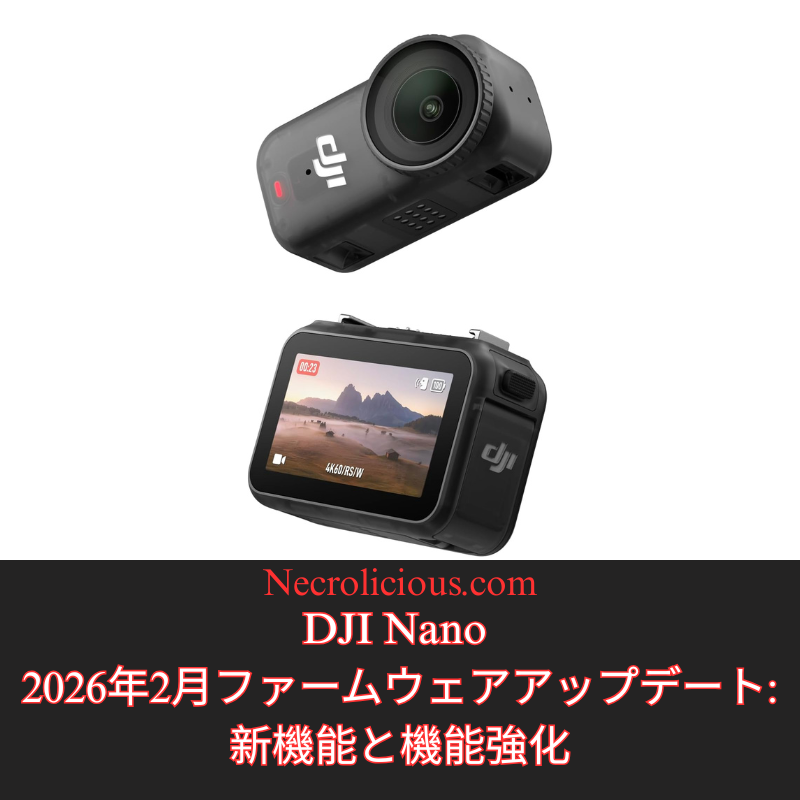
急速に進化するポータブル写真・動画撮影の世界において、DJIは定期的なファームウェアアップデートを通じて製品の改良を続けています。2026年2月にリリースされたDJI Nanoの最新アップデートでは、ファームウェアバージョンがv01.01.27.51になりました。iOS(v2.6.12)とAndroid(v2.6.12)の両方のDJI Mimoアプリから入手できるこのアップデートでは、クリエイティブな柔軟性とデバイスの信頼性を高めるように設計された実用的な改善が導入されています。インストールで問題が発生した場合は、カメラとアプリを再起動し、Wi-FiとBluetoothが有効になっていることを確認して再接続してから、再度アップデートをお試しください。問題が解決しない場合は、DJIサポートにお問い合わせください。これは、2025年11月の以前のアップデート(v01.01.16.50)に続くもので、ナチュラルワイドFOV、Horizo​​nCorrection、ビジョンドックとのマイクの統合改善などの機能が追加されました。以下では、新しい追加機能を詳しく見ていきましょう。

ビデオモードでネイティブ9:16アスペクト比をサポート

動画撮影モードで9:16のアスペクト比に対応したのは、ソーシャルメディアや短編動画プラットフォームにおける縦型コンテンツの需要の高まりに対応した、ユーザー重視の機能強化です。この機能により、DJI Nanoはポートレート方向で映像をネイティブに撮影できます。これは、TikTok、Instagram Reels、Snapchatなどのアプリで使用される形式に完全に適合しており、画質の低下や意図した構図の変更につながる撮影後のトリミングが不要になります。センサーの出力を幅よりも高さを優先するように調整することで、ユーザーはカメラの解像度(このモードでは通常最大4K)を最大限に活用し、より鮮明で臨場感あふれる縦型動画を撮影できます。これは、vloggerやソーシャルインフルエンサーなど、外出先で活動するクリエイターにとって特に有益です。撮影からアップロードまでのワークフローが合理化され、時間を節約しながらプロ仕様の成果を維持できます。さらに、デバイスのジンバル安定化機能やインテリジェント撮影モードを損なうことなく、背の高い被写体を強調したり、垂直方向にパンするショットを撮影するなど、ストーリーテリングの創造的な可能性を広げます。

写真とビデオモードへのフィルムトーンの導入

写真と動画の両方のモードで画像パラメータに「フィルムトーン」オプションが導入されたことで、DJI Nano の機能がさらに映画的な洗練度を増し、ユーザーは従来の映画の美学を模倣したプリセットのカラーグレーディング効果を適用できるようになりました。このモードは、色のバランス、コントラスト、彩度などの主要な要素を調整し、よりドラマチックで刺激的な映像を生み出します。温かみのある色調、より深い影、そしてクラシックな映画の雰囲気を彷彿とさせるコントロールされたハイライトが特徴です。標準のカラープロファイルとは異なり、フィルムトーンは、撮影時点でコンテンツに芸術的な感覚を吹き込みたいユーザー向けに設計されており、基本的な修正のために編集ソフトウェアに依存することが少なくなります。ダイナミックレンジを拡大し、ハイライトと影のディテールを保持するため、低照度環境や物語コンテンツの撮影で特に有利になります。クリエイターはDJI Mimoアプリでこのオプションを切り替え、シャープネスや露出などの他のパラメータと一緒に試して出力をカスタマイズできるため、Nanoは、洗練されたすぐに共有できる結果を求める意欲的な映画制作者や写真家にとって、より多用途なツールになります。

パフォーマンス向上のためのマイナーバグの解決

今回のファームウェアアップデートで修正された軽微なバグは、DJIが継続的にデバイスを最適化していくというコミットメントを示すものであり、ユーザーエクスペリエンスに大きな影響を与えることなく、微細な問題に対処しています。これらの修正は、ライブプレビュー中に発生する可能性のあるアプリのクラッシュの解決、よりスムーズなリモートコントロールのためのBluetooth接続の信頼性向上、被写体追尾や自動露出といった機能におけるアルゴリズム精度の向上など、ソフトウェアの安定性といった領域を対象としています。潜在的な脆弱性への対策として、具体的な内容は大まかにまとめられることが多いですが、これらのアップデートはNanoのパフォーマンスを総合的に向上させ、撮影中の中断の減少やバッテリー効率の安定化につながります。ユーザーにとって、これはアクションシーンの撮影でもカジュアルなクリップの撮影でも、実際の撮影においてより信頼できるツールとなることを意味し、時間の経過とともに未対応の不具合から生じる可能性のあるフラストレーションの蓄積を防ぐのに役立ちます。全体として、これらのバグ修正は、変化するユーザーニーズに常に対応し、最新の状態を維持することで、デバイスの寿命と再販価値の向上に貢献しています。

楽天で購入

このファームウェアアップデートにより、DJI Nanoはコンパクトカメラ市場における競争力の高い選択肢となり、画質を犠牲にすることなく携帯性を重視するアマチュアユーザーとプロフェッショナルユーザーの両方のニーズに対応します。縦位置動画撮影のサポート、シネマティックカラーオプション、そして基本的な安定性の向上により、DJIはコンテンツ制作における主要なトレンドに対応しながら、ジンバル技術と使いやすさというデバイスの強みを維持しています。これらの機能を利用するには、速やかにアップデートすることをお勧めします。DJIエコシステムを初めてご利用になる方は、Nanoの革新性と信頼性の融合に特に魅力を感じるでしょう。最新情報とトラブルシューティングについては、DJI公式ウェブサイトまたはコミュニティフォーラムをご覧ください。

SUZURIで購入

特に記載がない限り、上の画像アセットはオリジナルのコンテンツではなく、著作権や所有権を主張せずに公正使用の教義に基づいて共有されています。クレジットや削除に関する問い合わせは、necrolicious@necrolicious.comまでご連絡ください。

この投稿のスポンサーは。。。俺!サポートいただける方は、俺のオリジナルミームグッズをSUZURIでお買い求めいただくか、アフィリエイトリンクをチェックして他の素敵なアイテムをご覧ください。上記の記事には追加の関連リンクが含まれる場合があります。関連リンクをクリックして登録や購入を行うと、コミッションを獲得する場合があります。これはあなたが製品やサービスに対して支払う価格を上げませんので、あなたに費用がかからずこのウェブサイトをサポートするのに役立ちます。
Share this:

DJI Nano February 2026 Firmware Update: New Features & Enhancements

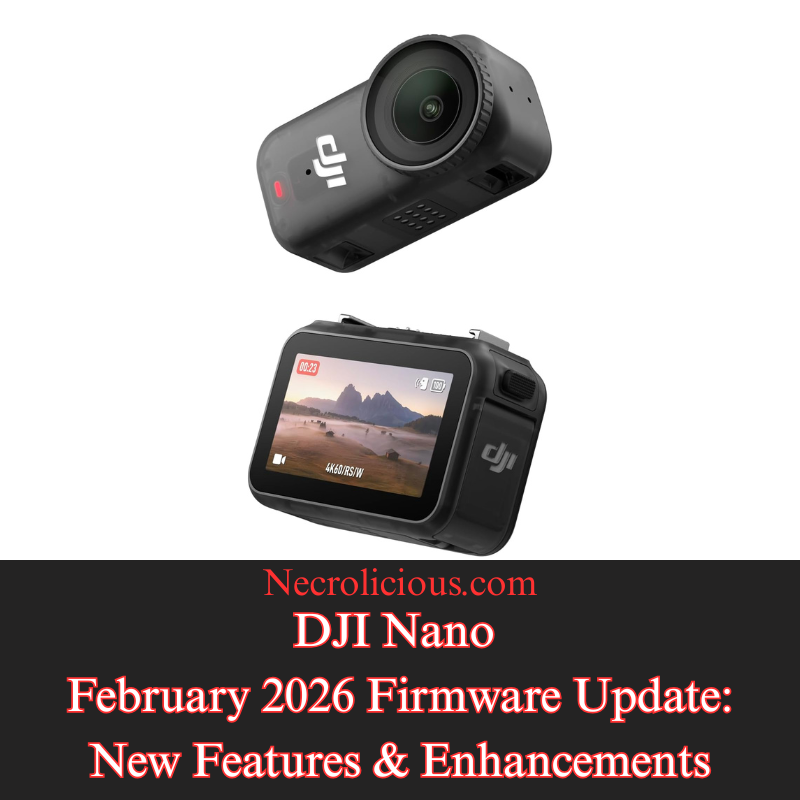
In the rapidly evolving world of portable photography & videography, DJI continues to refine its offerings through regular firmware updates. The most recent update for the DJI Nano, just released in February 2026, brings the firmware version to v01.01.27.51. Available via the DJI Mimo app for both iOS (v2.6.12) & Android (v2.6.12), this update introduces practical improvements designed to enhance creative flexibility & device reliability. For users encountering installation issues, DJI advises restarting the camera & app, ensuring Wi-Fi & Bluetooth are enabled, & reconnecting before attempting the update again. Persistent problems should prompt contact with DJI Support. This follows a prior update in November 2025 (v01.01.16.50), which added features such as Natural Wide FOV, HorizonCorrection, & improved microphone integration with the vision dock. Below, we explore the new additions in detail, highlighting how they benefit content creators & enthusiasts.

Native 9:16 Aspect Ratio Support in Video Mode

The addition of support for a 9:16 aspect ratio in video mode represents a user-focused enhancement tailored to the growing demand for vertical content in social media & short-form video platforms. This feature allows the DJI Nano to natively capture footage in a portrait orientation, which aligns perfectly with formats used on apps like TikTok, Instagram Reels, & Snapchat, eliminating the need for post-production cropping that could degrade image quality or alter the intended composition. By adjusting the sensor’s output to prioritise height over width, users can achieve fuller utilisation of the camera’s resolution—typically up to 4K in this mode—resulting in sharper, more immersive vertical videos. This is especially beneficial for creators on the go, such as vloggers or social influencers, as it streamlines the workflow from capture to upload, saving time while maintaining professional-grade results. Additionally, it opens up creative possibilities for storytelling, like emphasising tall subjects or vertical panning shots, without compromising on the device’s gimbal stabilisation or intelligent shooting modes.

Introduction of Film Tone in Photo & Video Modes

The introduction of the “Film Tone” option to image parameters in both photo & video modes brings a layer of cinematic sophistication to the DJI Nano’s capabilities, allowing users to apply pre-set colour grading effects that mimic the aesthetic of traditional film. This mode adjusts key elements such as colour balance, contrast, & saturation to produce a more dramatic & evocative look, often with warmer tones, deeper shadows, & controlled highlights that evoke the feel of classic cinema. Unlike standard colour profiles, Film Tone is designed for users who want to infuse their content with artistic flair right at the point of capture, reducing reliance on editing software for basic corrections. It can be particularly advantageous in low-light scenarios or when shooting narrative content, as it enhances dynamic range & preserves details in highlights & shadows. Creators can toggle this option via the DJI Mimo app, experimenting with it alongside other parameters like sharpness or exposure to customise the output, making the Nano a more versatile tool for aspiring filmmakers or photographers seeking a polished, ready-to-share result.

Resolution of Minor Bugs for Improved Performance

The fixing of minor bugs in this firmware update underscores DJI’s commitment to ongoing device optimisation, addressing subtle issues that could impact user experience without introducing major disruptions. These corrections typically target areas like software stability, such as resolving occasional app crashes during live previews, improving Bluetooth connectivity reliability for smoother remote control, or refining algorithm accuracy in features like subject tracking or auto-exposure. While the specifics are often kept general to protect against potential exploits, such updates collectively enhance the Nano’s performance, leading to fewer interruptions during shoots & more consistent battery efficiency. For users, this means a more dependable tool in real-world scenarios, whether filming action sequences or casual clips, & it helps prevent cumulative frustrations that might arise from unaddressed glitches over time. Overall, these bug fixes contribute to the longevity & resale value of the device by ensuring it remains responsive & up-to-date with evolving user needs.

Buy on Rakuten Japan

This firmware update positions the DJI Nano as a competitive choice in the compact camera market, catering to both amateur & professional users who value portability without sacrificing quality. By incorporating vertical video support, cinematic colour options, & essential stability improvements, DJI addresses key trends in content creation while maintaining the device’s core strengths in gimbal technology & ease of use. Users are encouraged to update promptly to access these features, & those new to the DJI ecosystem may find the Nano’s blend of innovation & reliability particularly appealing. For the latest details & troubleshooting, refer to the official DJI website or community forums.

Buy on Suzuri

Unless otherwise noted, image assets above are NOT original content & are shared under fair use doctrine with NO claims to authorship or ownership.
Contact necrolicious@necrolicious.com for credit or removal.

This post was sponsored by…ME! If you’d like to support, please buy my original meme merchandise or check out my affiliate links to get yourself some other cool things. Additional affiliate links may be contained in the above article. If you click on an affiliate link & sign up/make a purchase, I may earn a commission. This does not increase the price you pay for the product or service, so it helps support this website at no cost to you.

Share this: