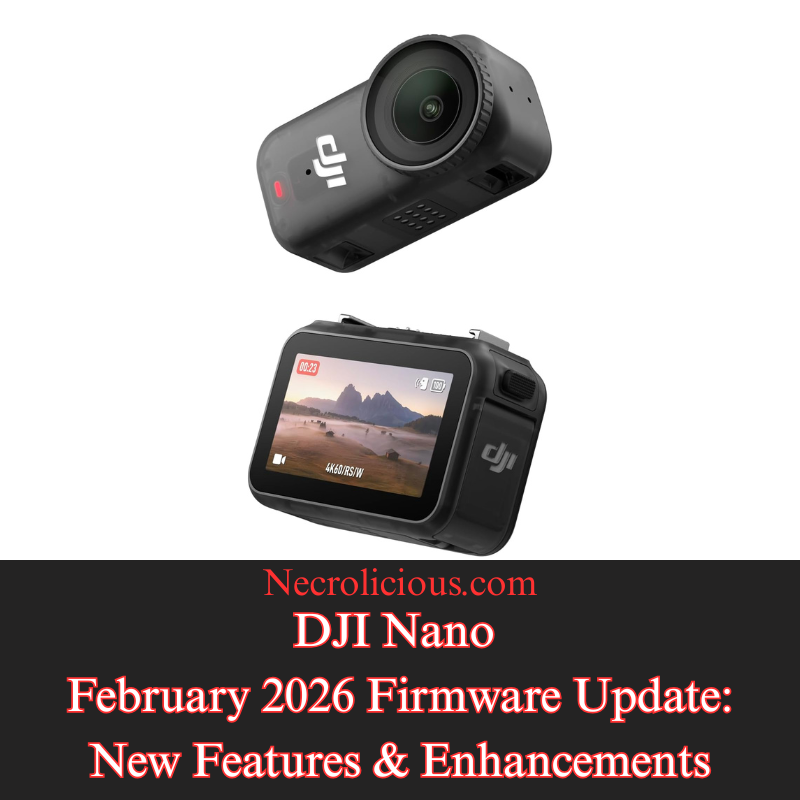
DJI Osmo Nanoはオープンゲートで撮影出来ますか?はい、出来ます。その使い方をご紹介します。

DJIのような大企業とOsmo Nanoのような名高いカメラにしては、「DJI Nanoはオープンゲートで撮影できますか?」という質問に対する答えを探しても、驚くほど情報が少ない。答えはイエスで、Osmo Nanoはフルセンサー4K 4:3録画機能により、印象的な結果でそれを実現している。オープンゲートを知らない人のために説明すると、これは誰でも撮影できる最も汎用性の高いフォーマットである。オープンゲートで撮影する主な利点は、編集時に汎用性が高く、ソーシャルメディアプラットフォームによって課せられる比率制限を満たすためにビデオを縮小する際に、より広い選択肢から選べることである。これが理解しにくい場合は、ほとんどのデバイス、特にスマートフォンのカメラでは、9:16比率、16:9比率、または1:1の正方形比率のいずれかを選択する必要があることを認識するだけでよい。オープンゲートでは、専用のフレームに固定されるのではなく、カメラのセンサー全体を使用する。16:9の幅全体と9:16の高さ全体が得られる。このフルセンサーアプローチは、一度体験すれば解放感をもたらす創造的な可能性を広げ、1回の撮影からあらゆるプラットフォームに対応できる洗練された複数の成果物を生み出す。

DJI OSMO NANOを
楽天で購入

DJI Osmo Nanoでのオープンゲート撮影とは何ですか?

オープンゲート撮影とは、カメラのセンサーの読み出し領域全体を使用して、カメラ内でクロップを適用せずにビデオをキャプチャすることを指します。DJI Osmo Nanoでは、1/1.3インチCMOSセンサーにより、最大4Kのネイティブ4:3解像度で記録することでこれを実現しています。その結果、水平軸と垂直軸の両方で最大限のピクセル情報を保持する映像が得られます。キャプチャ時にセンサーデータを破棄する従来の固定アスペクト比とは異なり、オープンゲートではすべてのフレーミングの決定をポストプロダクションに委ねます。このアプローチは、ネガまたはデジタルセンサー全体を最初に露光し、必要に応じてクロップまたはリフレーミングするプロの映画制作ワークフローを模倣しています。Osmo Nanoの場合、オープンゲートモードは、広い水平視野と拡張された垂直キャンバスの利点を効果的に組み合わせ、クリエイターが品質を損なうことなく1回のテイクから複数の成果物を抽出できるようにします。この柔軟性により、オープンゲートは、ペースの速い、または予測不可能な撮影環境で効率性とクリエイティブなコントロールを重視するクリエイターにとって特に魅力的なものとなっています。

コンテンツクリエイター向けOpen Gateの活用事例

DJI Osmo Nanoのオープンゲート機能は、柔軟性が最優先される多様な撮影シーンで活用できます。歩きながら話すVloggerや、機敏に動き回る映像制作者は、特定の向きを事前に決めることなく、ダイナミックな動きを捉えることができるため、大きなメリットを得られます。アクションやPOV撮影では、カメラのマグネット式マウントシステムとコンパクトな形状により、自然なアングルで撮影できるため、大きな効果を発揮します。また、オープンゲート機能により、後からあらゆる向きに合わせて映像を再構成することも可能です。旅行系Vloggerやドキュメンタリー制作者は、この機能を使って、風景のヒーローショットや縦長のソーシャルクリップなど、様々な用途に使える臨場感あふれるワイドシーンを撮影できます。自動車や製品の映像制作(レビューや開封動画など)では、一度の撮影でフル解像度の水平バージョンと垂直バージョンを同時に記録できるため、複数のセットアップや撮り直しが不要になります。ワイドスクリーンプレゼンテーションと縦長のソーシャルストーリーの両方に対応できる成果物が必要な企業やイベントのビデオ制作においても、オープンゲート機能はワークフローを効率化し、ストレージ容量の消費を抑えます。 DJI Osmo NanoのRockSteady手ブレ補正機能は、このフォーマットと自然にマッチし、編集ソフトウェアで最終的にどのような比率を選択しても、リフレーミングされた映像が滑らかでプロフェッショナルな仕上がりになることを保証します。

オープンゲートワークフローにおける4:3の比率

4:3のアスペクト比は、センサーのネイティブな比率に非常に近いため、DJI Osmo Nanoでのオープンゲート撮影の基盤となります。4K解像度では、これは3840×2880ピクセルに相当し、バランスの取れたキャンバス(縦よりも横が広い)を提供します。4:3のオープンゲートで撮影すると、映画のような風景ショットに必要な水平方向の幅をフルに維持しながら、トリミングに使用できる余分な垂直方向のピクセルを獲得できます。ポストプロダクションのエディターでは、上下をマスクまたはトリミングするだけで、きれいな16:9のフレームを作成したり、縦構図のために高さをより多く残したりできます。この比率は、解像度を損なうことなくクリエイティブな自由度を最大化し、進化するプラットフォーム要件に対応できる将来性のある映像を提供します。Osmo Nanoのユーザーは、カメラのビデオ設定で4:3を選択することで、センサーの真の可能性を解き放ち、単一の録画をあらゆる配信チャネルに対応したマルチフォーマットのアセットに変換できます。

3:4比率と縦型コンテンツにおけるその役割

4:3 は水平方向のオープンゲートの基準ですが、3:4 は垂直方向の対応物であり、ポートレート指向の成果物にとって同様に価値があります。基本的に 4:3 (幅よりも高さがある) を 90 度回転させた 3:4 フレームは、センサーの高さ全体を使用し、幅を狭めることで、特定のソーシャル フォーマットに最適な、より縦長の構図を作成します。DJI Osmo Nano では、4:3 で撮影したオープンゲート映像を編集時に回転およびトリミングして、高解像度のネイティブ 3:4 出力を実現できます。これは、9:16 よりもやや極端な縦方向のフレーミングを好むプラットフォームや、同じタイムライン内で横長と縦長の要素をミックスするハイブリッド プロジェクトに特に役立ちます。Instagram カルーセル、YouTube コミュニティ投稿、または従来の放送フォーマットで作業するクリエイターは、3:4 が超縦長の 9:16 よりもより古典的な比率を提供しながらも、シャープなダウンスケーリングに必要なピクセル密度を提供するため、3:4 を高く評価しています。開門時の映像から3:4のアスペクト比を抽出できる機能により、撮影時の推測作業が不要になり、様々なメディアを組み合わせたキャンペーン全体で一貫した品質が保証されます。

Xのソーシャルメディア比率基準と最適化

ソーシャルメディア プラットフォームは、最適な表示とパフォーマンスのために特定のアスペクト比を強制しますが、DJI Osmo Nano のオープン ゲート撮影は、1 つのマスター ファイルからそれらすべてを満たす最も効率的な方法を提供します。横長 16:9 は、YouTube の長尺動画や従来の動画広告の標準であり、縦長 9:16 は、TikTok、Instagram Reels、YouTube Shorts で主流です。正方形 1:1 は、特定の Instagram や Facebook の投稿で引き続き良好なパフォーマンスを発揮します。3:4 の比率は、Pinterest や古いモバイル フィードなどのニッチなアプリケーションに適しています。以前は Twitter と呼ばれていた X は、幅広い比率をサポートするように動画の標準を進化させましたが、デスクトップ表示では 16:9、モバイル ファーストのスクロールでは 9:16、クイック エンゲージメントでは 1:1 で最高のパフォーマンスを発揮します。X は、圧縮アーティファクトを避けるために、横長の場合は 1920 x 1080、縦長の場合は 1080 x 1920 でアップロードすることを推奨しており、正しい向きを自動的に検出して表示します。 Osmo Nanoのオープンゲート機能は、縦横両方向の余剰ピクセルを捉えるため、クリエイターは再撮影やディテールの損失なしに、プラットフォーム固有のバージョンをエクスポートできます。特に、オープンゲート映像から抽出した3:4の動画は、横幅よりも縦長でありながら、9:16コンテンツでよく見られる顕著な縮小効果を回避しています。最新のXモバイルフィードでは、これらの比率により、画面を過度に窮屈に感じさせることなくエレガントに埋め尽くす、よりバランスの取れた視覚的に魅力的な映像が実現します。この単一ソースのワークフローにより、時間の節約、編集作業の負担軽減、そして縦型動画がインプレッションの大部分を占めるようになったXおよび競合ネットワーク全体での最大限のリーチが保証されます。

DJI Osmo Nanoのオープンゲートモードへのアクセス方法と使用方法

オープンゲートについてすべて読んだので、おそらく自分で試してみたくなるでしょう。手順は簡単ですが、最新の DJI Nano ファームウェアにすでにアップデートしている場合は、残念ながら少し複雑になっている可能性があります。最新のファームウェアアップデートには、アスペクト比ロックが含まれています。このロックにより、9:16 または 16:9 で撮影するためにカメラの向きだけに頼る必要がなくなり、出力の向きを気にすることなく、カメラ本体を自由に動かすことができます。ただし、9:16 または 16:9 のロックされた向きモードを使用すると、オープンゲートのオプションが表示されません。これにより、「私のモデルはオープンゲートを含めるには古すぎるのか?」または「DJI はこの機能を削除したのか?」と考えるかもしれません。答えはどちらでもありません。オープンゲートにはまだアクセスできますが、最初に行う必要があるのは、16:9 または 9:16 を選択する向きメニューに戻り、代わりに最初のオプションである「自動」を選択することです。そうすることで初めて、1080p、2.7K、4K 用の 3:4 オープンゲートオプションが表示されます。念のため申し上げますが、自動モードの場合、フレームロックは完全に無効になり、4:3 または 3:4 の向きにしたい場合はカメラ本体を自分で配置する必要があります。オープンゲートを見つけるのが少し難しくなったのは残念ですが、確かに存在します。おそらく、今後のファームウェアアップデートで、DJI はこれを 9:16 および 16:9 と並んで比率ロックに追加し、誰もが簡単に見つけられるようにするでしょう。

ゲートを開けるモードにアクセスするには、以下の手順に従ってください。

  1. カメラ設定で方向メニューを開きます。
  2. 固定された9:16または16:9モードではなく、「自動」を選択してください。
  3. 3:4のオープンゲートオプションが、1080p、2.7K、および4Kで表示されるようになりました。

DJI Osmo Nanoのオープンゲート機能を活用することで、コンテンツクリエイターは最終的なフレーミングと配信をかつてないほど自在にコントロールできるようになります。フルセンサー方式を採用したこのカメラは、携帯性に優れたデザインと堅牢な手ブレ補正機能により、複数のプラットフォームで動画を制作するすべての人にとって戦略的なツールとなるでしょう。

この記事の内容は、特に DJI Osmo Nano に関するものです。読者の中には、「世界的に有名な DJI Pocket 3 もオープン ゲートで撮影できるのか?」と疑問に思う人もいるかもしれません。残念ながら、この記事を書いている時点ではできません。しかし、DJI が将来のファームウェア アップデートでこの機能を追加することを選択した場合、その可能性はあります。それまでの間、4:3 または 3:4 のオープン ゲート比率を希望する人は、DJI Mimo アプリを使用してこの形式でビデオをエクスポートすることもできます。ただし、これは少し逆説的な概念です。オープン ゲートで録画する目的は、追跡している特定の撮影対象など、特定の詳細をズームインするための広いスペースを確保することだからです。したがって、X フィードの投稿でビデオに割り当てられたスペースをうまく埋める以外に、この機能にはほとんど意味がありません。

SUZURIで購入

特に記載がない限り、上の画像アセットはオリジナルのコンテンツではなく、著作権や所有権を主張せずに公正使用の教義に基づいて共有されています。クレジットや削除に関する問い合わせは、necrolicious@necrolicious.comまでご連絡ください。

この投稿のスポンサーは。。。俺!サポートいただける方は、俺のオリジナルミームグッズをSUZURIでお買い求めいただくか、アフィリエイトリンクをチェックして他の素敵なアイテムをご覧ください。上記の記事には追加の関連リンクが含まれる場合があります。関連リンクをクリックして登録や購入を行うと、コミッションを獲得する場合があります。これはあなたが製品やサービスに対して支払う価格を上げませんので、あなたに費用がかからずこのウェブサイトをサポートするのに役立ちます。

Share this:

Does the DJI Osmo Nano Shoot Open Gate? Yes, It Does – Here’s How to Use It

For a company as big as DJI & a camera as prestigious as the Osmo Nano, there is surprisingly little information available when searching for answers to the question “Can the DJI Nano shoot open gate?”. The short answer is yes, & the Osmo Nano does so with impressive results through its full-sensor 4K 4:3 recording capability. If you are not familiar with open gate, it is the most versatile format that anyone can shoot in. The key advantage of shooting open gate is the versatility it offers when editing as it gives you a much wider field from which to choose when downsizing your video to meet ratio limitations enforced by social media platforms. If you are having trouble understanding this simply recognise most devices especially phone cameras force you to choose between 9:16 ratio, 16:9 ratio or 1:1 square ratio. With open gate rather than locking yourself to a dedicated frame you utilise your camera’s entire sensor. You get the entire width of 16:9 & the entire height of 9:16. This full-sensor approach opens up creative possibilities that feel liberating once experienced, transforming a single take into multiple polished deliverables ready for any platform.

DJI OSMO NANO
Buy on Rakuten Japan

What Is Open Gate Shooting on the DJI Osmo Nano?

Open gate shooting refers to capturing video using the full readout of the camera’s sensor without applying any in-camera crop. On the DJI Osmo Nano this is achieved through its 1/1.3-inch CMOS sensor which records in native 4:3 resolution at up to 4K. The result is footage that preserves maximum pixel information across both the horizontal & vertical axes. Unlike traditional locked aspect ratios that discard sensor data at the point of capture open gate defers all framing decisions to post-production. This approach mirrors professional cinema workflows where the full negative or digital sensor is exposed first & then cropped or reframed as needed. For the Osmo Nano the open gate mode effectively combines the benefits of a wide horizontal field with an extended vertical canvas allowing creators to extract multiple deliverables from a single take without quality loss. It is this flexibility that makes open gate particularly exciting for creators who value efficiency & creative control in fast-paced or unpredictable shooting environments.

Open Gate Use Cases for Content Creators

The practical applications of open gate on the DJI Osmo Nano extend across diverse shooting scenarios where flexibility is paramount. Walk-and-talk vloggers & run-and-gun filmmakers benefit from the ability to capture dynamic movement without committing to a specific orientation upfront. Action & POV filming benefit immensely because the camera’s magnetic mounting system & compact form factor encourage spontaneous angles, yet open gate ensures footage can later be reframed for any orientation. Travel vloggers & documentary makers use it to capture immersive wide scenes that can be repurposed into both landscape hero shots & portrait social clips. In automotive or product cinematography, including reviews & unboxings, a single pass records full-resolution horizontal & vertical versions simultaneously, eliminating the need for multiple setups or retakes. Even for corporate or event videography where deliverables must serve both widescreen presentations & vertical social stories, open gate streamlines workflow & reduces storage demands. The DJI Osmo Nano’s RockSteady stabilisation pairs naturally with this format ensuring that reframed extracts remain smooth & professional regardless of the final ratio chosen in editing software.

The 4:3 Ratio in Open Gate Workflow

The 4:3 ratio serves as the foundation for open gate shooting on the DJI Osmo Nano because it closely matches the sensor’s native proportions. At 4K resolution this translates to 3840 by 2880 pixels, providing a balanced canvas (wider than it is tall). When shooting in 4:3 open gate you retain the full horizontal width required for cinematic landscape shots while gaining extra vertical pixels that can be used for cropping. In post-production editors simply mask or crop the top & bottom to produce a clean 16:9 frame or retain more of the height for vertical compositions. This ratio maximises creative freedom without compromising resolution & it future-proofs footage against evolving platform requirements. For users of the Osmo Nano selecting 4:3 in the camera’s video settings unlocks the true potential of the sensor & transforms a single recording into a multi-format asset ready for any distribution channel.

The 3:4 Ratio & Its Role in Vertical Content

While 4:3 is the horizontal open gate baseline the 3:4 ratio represents its vertical counterpart & proves equally valuable for portrait-oriented deliverables. Essentially a 90-degree rotation of 4:3 (taller than it is wide), the 3:4 frame utilises the sensor’s full height while narrowing the width to create a taller composition ideal for certain social formats. On the DJI Osmo Nano open gate footage shot in 4:3 can be rotated & cropped in editing to achieve a native 3:4 output at high resolution. This is particularly useful for platforms that favour slightly less extreme vertical framing than 9:16 or for hybrid projects that mix landscape & portrait elements within the same timeline. Creators working on Instagram carousels, YouTube community posts or legacy broadcast formats appreciate 3:4 because it offers a more classical proportion than ultra-tall 9:16 yet still delivers the pixel density needed for sharp downscaling. The ability to extract 3:4 from open gate footage eliminates guesswork at capture time & ensures consistent quality across mixed-media campaigns.

Social Media Ratio Standards & Optimisation for X

Social media platforms enforce specific aspect ratios for optimal display & performance & open gate shooting on the DJI Osmo Nano provides the most efficient way to satisfy them all from one master file. Horizontal 16:9 remains the standard for YouTube long-form & traditional video ads while vertical 9:16 dominates TikTok, Instagram Reels & YouTube Shorts. Square 1:1 continues to perform well for certain Instagram & Facebook posts. The 3:4 ratio fits niche applications such as Pinterest or older mobile feeds. X, formerly Twitter has evolved its video standards to support a wide range of ratios but performs best with 16:9 for desktop viewing, 9:16 for mobile-first scrolling & 1:1 for quick engagement. X recommends uploading at 1920 by 1080 for horizontal or 1080 by 1920 for vertical to avoid compression artefacts & it automatically detects & displays the correct orientation. Because open gate on the Osmo Nano captures surplus pixels in both dimensions, creators can export platform-specific versions without re-shooting or losing detail. Notably the 3:4 extracts from open gate footage deliver videos that are taller than wide while avoiding the pronounced shrinking effect often seen with 9:16 content. In the latest X mobile feed these proportions create a more balanced & visually appealing presence that fills the screen elegantly without feeling overly constrained. This single-source workflow saves time, reduces editing overhead & ensures maximum reach across X & competing networks where vertical video now drives the majority of impressions.

How to Access & Use Open Gate Mode on the DJI Osmo Nano

Now that you have read all about open gate you are probably eager to try it yourself. The process is straightforward but if you have already updated to the latest DJI Nano firmware this unfortunately may have complicated matters slightly. What came with the latest firmware update was a ratio lock. This lock means that you no longer have to rely solely on camera orientation in order to film in 9:16 or 16:9 & can instead move the camera body as freely as you wish without having to worry about output orientation. However, if you utilise 9:16 or 16:9 locked orientation modes you will not see any open gate option. This might prompt you to think “Is my model too old to include open gate?” or “Did DJI remove this feature?” The answer is neither. You can still access open gate but what you must first do is go back to the orientation menu where you pick 16:9 or 9:16 & instead pick the very first option of “Automatic.” Only then will you be able to see the 3:4 open gate option for 1080p, 2.7K & 4K. In case it was not abundantly clear, being in automatic mode means that you are absolutely not frame locked & must position the camera body yourself if you wish to have 4:3 or 3:4 orientation. While it is a little unfortunate that it has become somewhat more difficult to find open gate, rest assured that it is there. Perhaps in a future firmware update DJI will add it to the ratio lock alongside the 9:16 & 16:9 to make it just a little bit easier for everyone to find.

To access open gate mode follow these steps:

  1. Open the orientation menu in the camera settings.
  2. Select Automatic instead of the locked 9:16 or 16:9 modes.
  3. The 3:4 open gate option will now appear for 1080p, 2.7K. & 4K.

By leveraging the DJI Osmo Nano’s open gate capability, content creators gain unprecedented control over final framing & distribution. The camera’s full-sensor approach combined with its portable design & robust stabilisation positions it as a strategic tool for anyone producing video across multiple platforms.

The content of this article pertains specifically to the DJI Osmo Nano. Some readers may wonder “Does the world-famous DJI Pocket 3 also shoot in open gate?: Unfortunately, it does not, as of the time of this writing. However, the potential exists should DJI ever opt to include it in a future firmware update. In the meantime anyone that wishes to have the 4:3 or 3:4 open gate ratio can also export any video in this format using the DJI Mimo app. However, this is a little bit of a backward concept because the point of recording in open gate is to have a wider space to zoom in on specific details such as a particular filming subject being tracked. Therefore there is little point in this feature apart from nicely filling out the space allotted to videos in posts on the X feed.

Buy on Printify

Unless otherwise noted, image assets above are NOT original content & are shared under fair use doctrine with NO claims to authorship or ownership.
Contact necrolicious@necrolicious.com for credit or removal.

This post was sponsored by…ME! If you’d like to support, please buy my original meme merchandise or check out my affiliate links to get yourself some other cool things. Additional affiliate links may be contained in the above article. If you click on an affiliate link & sign up/make a purchase, I may earn a commission. This does not increase the price you pay for the product or service, so it helps support this website at no cost to you.

Share this:

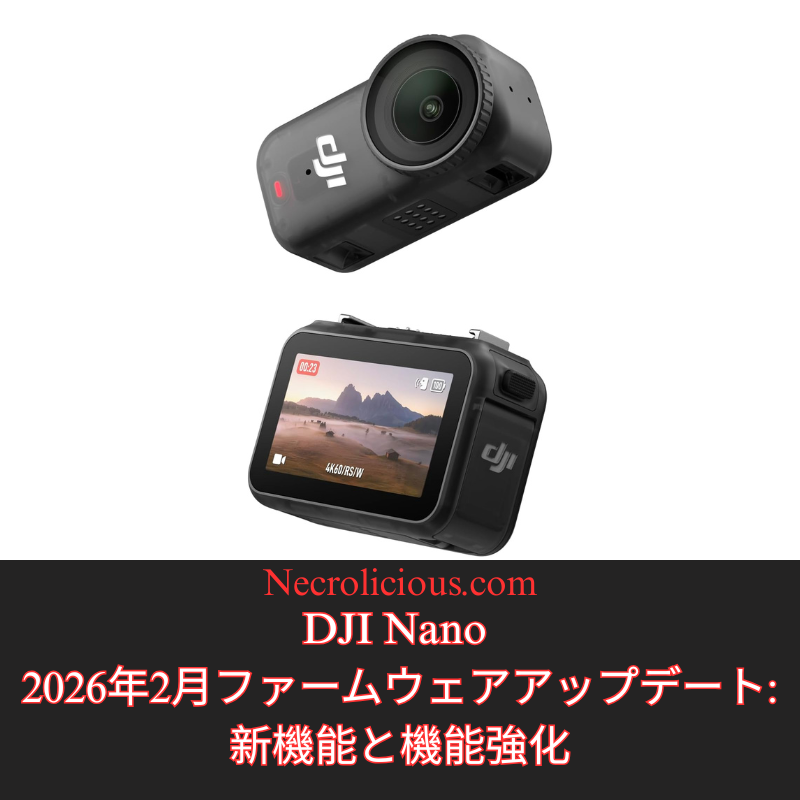
DJI Nano 2026年2月ファームウェアアップデート:新機能と機能強化

@necroliciousjp

DJI Nano 2026年2月ファームウェアアップデート:新機能と機能強化 #dji #djinano #カメラ #デジカメ #電子機器

♬ Abyss of Time (Wayang Kulit) LONG EDIT – Nami Nakagawa,TEKKEN Project

急速に進化するポータブル写真・動画撮影の世界において、DJIは定期的なファームウェアアップデートを通じて製品の改良を続けています。2026年2月にリリースされたDJI Nanoの最新アップデートでは、ファームウェアバージョンがv01.01.27.51になりました。iOS(v2.6.12)とAndroid(v2.6.12)の両方のDJI Mimoアプリから入手できるこのアップデートでは、クリエイティブな柔軟性とデバイスの信頼性を高めるように設計された実用的な改善が導入されています。インストールで問題が発生した場合は、カメラとアプリを再起動し、Wi-FiとBluetoothが有効になっていることを確認して再接続してから、再度アップデートをお試しください。問題が解決しない場合は、DJIサポートにお問い合わせください。これは、2025年11月の以前のアップデート(v01.01.16.50)に続くもので、ナチュラルワイドFOV、Horizo​​nCorrection、ビジョンドックとのマイクの統合改善などの機能が追加されました。以下では、新しい追加機能を詳しく見ていきましょう。

ビデオモードでネイティブ9:16アスペクト比をサポート

動画撮影モードで9:16のアスペクト比に対応したのは、ソーシャルメディアや短編動画プラットフォームにおける縦型コンテンツの需要の高まりに対応した、ユーザー重視の機能強化です。この機能により、DJI Nanoはポートレート方向で映像をネイティブに撮影できます。これは、TikTok、Instagram Reels、Snapchatなどのアプリで使用される形式に完全に適合しており、画質の低下や意図した構図の変更につながる撮影後のトリミングが不要になります。センサーの出力を幅よりも高さを優先するように調整することで、ユーザーはカメラの解像度(このモードでは通常最大4K)を最大限に活用し、より鮮明で臨場感あふれる縦型動画を撮影できます。これは、vloggerやソーシャルインフルエンサーなど、外出先で活動するクリエイターにとって特に有益です。撮影からアップロードまでのワークフローが合理化され、時間を節約しながらプロ仕様の成果を維持できます。さらに、デバイスのジンバル安定化機能やインテリジェント撮影モードを損なうことなく、背の高い被写体を強調したり、垂直方向にパンするショットを撮影するなど、ストーリーテリングの創造的な可能性を広げます。

写真とビデオモードへのフィルムトーンの導入

写真と動画の両方のモードで画像パラメータに「フィルムトーン」オプションが導入されたことで、DJI Nano の機能がさらに映画的な洗練度を増し、ユーザーは従来の映画の美学を模倣したプリセットのカラーグレーディング効果を適用できるようになりました。このモードは、色のバランス、コントラスト、彩度などの主要な要素を調整し、よりドラマチックで刺激的な映像を生み出します。温かみのある色調、より深い影、そしてクラシックな映画の雰囲気を彷彿とさせるコントロールされたハイライトが特徴です。標準のカラープロファイルとは異なり、フィルムトーンは、撮影時点でコンテンツに芸術的な感覚を吹き込みたいユーザー向けに設計されており、基本的な修正のために編集ソフトウェアに依存することが少なくなります。ダイナミックレンジを拡大し、ハイライトと影のディテールを保持するため、低照度環境や物語コンテンツの撮影で特に有利になります。クリエイターはDJI Mimoアプリでこのオプションを切り替え、シャープネスや露出などの他のパラメータと一緒に試して出力をカスタマイズできるため、Nanoは、洗練されたすぐに共有できる結果を求める意欲的な映画制作者や写真家にとって、より多用途なツールになります。

パフォーマンス向上のためのマイナーバグの解決

今回のファームウェアアップデートで修正された軽微なバグは、DJIが継続的にデバイスを最適化していくというコミットメントを示すものであり、ユーザーエクスペリエンスに大きな影響を与えることなく、微細な問題に対処しています。これらの修正は、ライブプレビュー中に発生する可能性のあるアプリのクラッシュの解決、よりスムーズなリモートコントロールのためのBluetooth接続の信頼性向上、被写体追尾や自動露出といった機能におけるアルゴリズム精度の向上など、ソフトウェアの安定性といった領域を対象としています。潜在的な脆弱性への対策として、具体的な内容は大まかにまとめられることが多いですが、これらのアップデートはNanoのパフォーマンスを総合的に向上させ、撮影中の中断の減少やバッテリー効率の安定化につながります。ユーザーにとって、これはアクションシーンの撮影でもカジュアルなクリップの撮影でも、実際の撮影においてより信頼できるツールとなることを意味し、時間の経過とともに未対応の不具合から生じる可能性のあるフラストレーションの蓄積を防ぐのに役立ちます。全体として、これらのバグ修正は、変化するユーザーニーズに常に対応し、最新の状態を維持することで、デバイスの寿命と再販価値の向上に貢献しています。

楽天で購入

このファームウェアアップデートにより、DJI Nanoはコンパクトカメラ市場における競争力の高い選択肢となり、画質を犠牲にすることなく携帯性を重視するアマチュアユーザーとプロフェッショナルユーザーの両方のニーズに対応します。縦位置動画撮影のサポート、シネマティックカラーオプション、そして基本的な安定性の向上により、DJIはコンテンツ制作における主要なトレンドに対応しながら、ジンバル技術と使いやすさというデバイスの強みを維持しています。これらの機能を利用するには、速やかにアップデートすることをお勧めします。DJIエコシステムを初めてご利用になる方は、Nanoの革新性と信頼性の融合に特に魅力を感じるでしょう。最新情報とトラブルシューティングについては、DJI公式ウェブサイトまたはコミュニティフォーラムをご覧ください。

SUZURIで購入

特に記載がない限り、上の画像アセットはオリジナルのコンテンツではなく、著作権や所有権を主張せずに公正使用の教義に基づいて共有されています。クレジットや削除に関する問い合わせは、necrolicious@necrolicious.comまでご連絡ください。

この投稿のスポンサーは。。。俺!サポートいただける方は、俺のオリジナルミームグッズをSUZURIでお買い求めいただくか、アフィリエイトリンクをチェックして他の素敵なアイテムをご覧ください。上記の記事には追加の関連リンクが含まれる場合があります。関連リンクをクリックして登録や購入を行うと、コミッションを獲得する場合があります。これはあなたが製品やサービスに対して支払う価格を上げませんので、あなたに費用がかからずこのウェブサイトをサポートするのに役立ちます。
Share this:

DJI Nano February 2026 Firmware Update: New Features & Enhancements

In the rapidly evolving world of portable photography & videography, DJI continues to refine its offerings through regular firmware updates. The most recent update for the DJI Nano, just released in February 2026, brings the firmware version to v01.01.27.51. Available via the DJI Mimo app for both iOS (v2.6.12) & Android (v2.6.12), this update introduces practical improvements designed to enhance creative flexibility & device reliability. For users encountering installation issues, DJI advises restarting the camera & app, ensuring Wi-Fi & Bluetooth are enabled, & reconnecting before attempting the update again. Persistent problems should prompt contact with DJI Support. This follows a prior update in November 2025 (v01.01.16.50), which added features such as Natural Wide FOV, HorizonCorrection, & improved microphone integration with the vision dock. Below, we explore the new additions in detail, highlighting how they benefit content creators & enthusiasts.

Native 9:16 Aspect Ratio Support in Video Mode

The addition of support for a 9:16 aspect ratio in video mode represents a user-focused enhancement tailored to the growing demand for vertical content in social media & short-form video platforms. This feature allows the DJI Nano to natively capture footage in a portrait orientation, which aligns perfectly with formats used on apps like TikTok, Instagram Reels, & Snapchat, eliminating the need for post-production cropping that could degrade image quality or alter the intended composition. By adjusting the sensor’s output to prioritise height over width, users can achieve fuller utilisation of the camera’s resolution—typically up to 4K in this mode—resulting in sharper, more immersive vertical videos. This is especially beneficial for creators on the go, such as vloggers or social influencers, as it streamlines the workflow from capture to upload, saving time while maintaining professional-grade results. Additionally, it opens up creative possibilities for storytelling, like emphasising tall subjects or vertical panning shots, without compromising on the device’s gimbal stabilisation or intelligent shooting modes.

Introduction of Film Tone in Photo & Video Modes

The introduction of the “Film Tone” option to image parameters in both photo & video modes brings a layer of cinematic sophistication to the DJI Nano’s capabilities, allowing users to apply pre-set colour grading effects that mimic the aesthetic of traditional film. This mode adjusts key elements such as colour balance, contrast, & saturation to produce a more dramatic & evocative look, often with warmer tones, deeper shadows, & controlled highlights that evoke the feel of classic cinema. Unlike standard colour profiles, Film Tone is designed for users who want to infuse their content with artistic flair right at the point of capture, reducing reliance on editing software for basic corrections. It can be particularly advantageous in low-light scenarios or when shooting narrative content, as it enhances dynamic range & preserves details in highlights & shadows. Creators can toggle this option via the DJI Mimo app, experimenting with it alongside other parameters like sharpness or exposure to customise the output, making the Nano a more versatile tool for aspiring filmmakers or photographers seeking a polished, ready-to-share result.

Resolution of Minor Bugs for Improved Performance

The fixing of minor bugs in this firmware update underscores DJI’s commitment to ongoing device optimisation, addressing subtle issues that could impact user experience without introducing major disruptions. These corrections typically target areas like software stability, such as resolving occasional app crashes during live previews, improving Bluetooth connectivity reliability for smoother remote control, or refining algorithm accuracy in features like subject tracking or auto-exposure. While the specifics are often kept general to protect against potential exploits, such updates collectively enhance the Nano’s performance, leading to fewer interruptions during shoots & more consistent battery efficiency. For users, this means a more dependable tool in real-world scenarios, whether filming action sequences or casual clips, & it helps prevent cumulative frustrations that might arise from unaddressed glitches over time. Overall, these bug fixes contribute to the longevity & resale value of the device by ensuring it remains responsive & up-to-date with evolving user needs.

Buy on Rakuten Japan

This firmware update positions the DJI Nano as a competitive choice in the compact camera market, catering to both amateur & professional users who value portability without sacrificing quality. By incorporating vertical video support, cinematic colour options, & essential stability improvements, DJI addresses key trends in content creation while maintaining the device’s core strengths in gimbal technology & ease of use. Users are encouraged to update promptly to access these features, & those new to the DJI ecosystem may find the Nano’s blend of innovation & reliability particularly appealing. For the latest details & troubleshooting, refer to the official DJI website or community forums.

Buy on Suzuri

Unless otherwise noted, image assets above are NOT original content & are shared under fair use doctrine with NO claims to authorship or ownership.
Contact necrolicious@necrolicious.com for credit or removal.

This post was sponsored by…ME! If you’d like to support, please buy my original meme merchandise or check out my affiliate links to get yourself some other cool things. Additional affiliate links may be contained in the above article. If you click on an affiliate link & sign up/make a purchase, I may earn a commission. This does not increase the price you pay for the product or service, so it helps support this website at no cost to you.

Share this:

DJI NANOアクションカメラ:使ってみた印象と正直レビュー

先日、DJI NANO アクションカメラを入手しました。アクションカメラとしては初めての購入となるため、初期の使用感や印象をここにまとめます。本記事はDJIからのスポンサー提供ではなく、筆者自身の客観的な意見に基づいています。

楽天で購入

なぜDJI NANOを購入したのか?

購入のタイミングと機種選択の理由はいくつかあります。

まず、繰り返しお伝えしている通り、電子機器の価格は上昇傾向にあります。旧世代製品であっても値下げされるどころか、むしろ値上がりしながら段階的に廃盤になるケースが増えています。かつてのように大幅な値下げが期待できる状況は、当面続きにくいでしょう。また、日本市場においては輸入制限による供給制約の噂が強まっており、入手難がさらに深刻化する可能性があります。そこで、市場価格の高騰や品薄が本格化する前に購入しておこうと考えました。

本機種を選んだ理由は、すでに所有しているDJI Osmo Pocket 3Samsung Galaxy Z Flip 6と比較して、極めてコンパクトで目立たない点にあります。主な用途は、付属のネックストラップを利用したハンズフリーでのPOV(一人称視点)撮影です。

スマートフォンを取り出すと、どうしても手に持つ必要があり、撮影していることが周囲に伝わりやすくなります。Osmo Pocket 3も同様で、胸部ハーネスを装着しての撮影となるとかさばり、存在感が出てしまいます。また、スマートフォンの落下による破損リスクも常に気になります。特にSamsungのFlipシリーズは耐久性・耐衝撃性に優れているとは言えず、万一の事故で数週間電話が使えなくなる事態は避けたいところです。

NANOであれば、身に着けていてもほとんど気づかれず、自然に録画できます。万一落としてもスマートフォンのように通信手段を失う心配がありません。レンズは比較的大きめなので、よく見れば気づかれる可能性はありますが、完全な隠し撮り用途ではなく、あくまで目立たない日常・イベント記録や商品開封・テストのオーバーヘッドショットが目的です。

現時点での私の動画活動を振り返ると、顔出しなしの映像コンテンツの方が明らかに視聴されやすい傾向にあります。将来的に顔出しスタイルを超えていく可能性はありますが、当面はTikTokやYouTubeなどで最もパフォーマンスの良い動画形式に特化するため、本機が大きなアドバンテージになると考えています。

最後に、すでにDJIエコシステムに深く入り込んでおり、Osmo Pocket 3に加えてDJI Mic 2も所有しているため、他社製品への移行よりも、既存のハードウェア・ソフトウェアに親和性の高いDJIを選択する方が合理的でした。

パフォーマンスはどうか?

現時点では非常に良好です。発売当初に多発していた「10分以内の過熱シャットダウン」の報告が多かったため懸念していましたが、私の個体ではそのような症状は発生していません。ハードウェアまたはファームウェアの改良によるものかは不明ですが、最高設定で20分以上連続撮影しても過熱の兆候は見られませんでした。個人的にそれ以上の長時間撮影は行わないため、ここで過熱テストを切り上げ、他の機能を検証しています。

当初、画面タイムアウトを過熱と勘違いしたことがありました。開始2分以内に画面が消えたため焦りましたが、軽く調べたところ、画面を右にスワイプしてタイムアウトを「なし」に設定するだけで解決しました。以降、同様の問題は発生していません。

また、本体内蔵ストレージを搭載している点も便利です。Osmo Pocket 3とは異なり、microSDカードがなくてもすぐに録画を開始できます。私はメモリ不足による価格高騰の影響を考慮し、128GBモデルを選択しました。普段は1080pで撮影していますが、必要に応じて4Kも選択可能なのは安心材料です。

現時点で唯一の問題は、DJI Mimoアプリでの編集動画のエクスポート不具合です。アプリ上ではエクスポート完了と表示されるものの、DJI Exportsアルバムや端末のギャラリーに保存されません。複数回試行するとようやく成功しますが、その回数分の同一動画が重複保存されます(本日で7回試行し、7個の同一ファイルができました)。非常に煩わしいですが、これはNANO本体ではなく、アプリ側または端末側の問題の可能性が高いため、現時点ではDJIサポートへの問い合わせを予定しています。

このカメラをおすすめするか?

はい、強くおすすめします。

購入前に多くのレビューを確認しましたが、「本格的なアクションカメラではない」という指摘が目立ちました。しかし、私の用途はそもそもエクストリームスポーツではなく、イベント映像や商品開封・レビュー動画です。その目的であれば、十分に満足できる性能です。

より過酷な屋外スポーツやバイク走行などを想定する場合は、密閉構造のDJI Osmo Actionシリーズの方が適しているでしょう。

冒頭でも触れたように、産業規模でのメモリ不足や日本市場特有の輸入制限により、今後価格上昇・品薄が予想されます。入手を検討されている方は、早めの決断をおすすめします。

SUZURIで購入

特に記載がない限り、上の画像アセットはオリジナルのコンテンツではなく、著作権や所有権を主張せずに公正使用の教義に基づいて共有されています。クレジットや削除に関する問い合わせは、necrolicious@necrolicious.comまでご連絡ください。

この投稿のスポンサーは。。。俺!サポートいただける方は、俺のオリジナルミームグッズをSUZURIでお買い求めいただくか、アフィリエイトリンクをチェックして他の素敵なアイテムをご覧ください。上記の記事には追加の関連リンクが含まれる場合があります。関連リンクをクリックして登録や購入を行うと、コミッションを獲得する場合があります。これはあなたが製品やサービスに対して支払う価格を上げませんので、あなたに費用がかからずこのウェブサイトをサポートするのに役立ちます。

Share this:

DJI NANO Action Camera: Unbiased First Thoughts & Impressions

@necroliciouseng

I got the DJI NANO but Tiktok blocks duplicate uploads, so I reversed the video to avoid the flag 🤣 Check out my Japanese channel if you want to see the unboxing 🇯🇵 #dji #djinano #djinanoactioncamera #actioncamera #reboxing

♬ Take A Picture – Filter

I just got ahold of the DJI NANO action camera. As my first action camera, I thought I would share my initial thoughts & impressions of it. This post is not sponsored by DJI, so I am sharing my own unbiased opinion.

Buy on Rakuten Japan

Why Did I Buy the DJI Nano?

Why now & why this specific model? There are several reasons. Firstly, as I have repeatedly warned, electronic prices have been trending upward. Even last-generation devices are being marked up rather than priced down as they are phased out like they used to be. It may be years before we see the type of price decreases that we use to as items were phased out. Additionally, there have been intensifying rumours of supply constraints specific to Japan in the form of import restrictions. Overall, I wanted to beat the market & get the NANO while I could before it gets marked up or otherwise becomes unavailable. As for why I got this specific model, already having the DJI Pocket 3 as well as my Samsung Flip 6, the reason is that it is compact & discreet in comparison to those. I primarily intend to use the NANO to shoot hands-free, utilising the included necklace attachment for easy point-of-view recording. I find that getting out my phone is intrusive since I have to hold it & draw attention to the fact that I am recording. Same with the DJI Pocket 3. For first-person-perspective shots with either of those devices, I need to carry around a chest harness mount then strap it on when I want to shoot. The result is much bulkier & ungainly, drawing undue attention to the fact that I am recording. Specific to my phone, I always worry that I might drop & seriously damage it in the process. As cool as they are, Samsung’s Flip series aren’t known for durability or ruggedness at all, & being without a phone for weeks due to an accident is not a position I wish to put myself in. With the NANO, I can easily wear it & nobody even knows that I’m recording. I also don’t have to worry that an accidental drop will cut me off from the world as it would with my phone. It is still a fairly large lens, so I think anybody paying attention would notice it immediately. I would not recommend it for 100% covert recording for that reason, but spying like that is not my intent. I simply want an unobtrusive, discreet way to record various events & attractions that I visit or overhead views of product unboxing/testing. At this point of what I suppose you would call my video career, it seems that the faceless videos I post get more traction than those of me talking. Maybe one day I will surpass this level, but in the meantime, I think this camera will give me a great edge in recording the types of videos that seem to perform best on my TikTok, YouTube, etc. Lastly, I am already somewhat locked into the DJI ecosystem, possessing not only the Pocket 3 but also the Mic 2. Therefore, buying another brand without the compatibility was less appealing than just sticking to something I was already familiar with & had both hardware/software for.

What Is the Performance Like?

So far, so good. I had been worried since numerous reports of overheating issues occurring within less than 10 minutes were rampant at release, but this does not seem to be the case with my model. Whether that is due to an upgrade of the hardware or firmware, I am not sure, but in my initial testing I got over 20 minutes shooting at maximum settings with no signs of overheating. Feeling safe, since I personally never record any longer than that, I cut off the overheat testing at that point to check out other features. I had initially mistaken the screen timeout for overheating. This occurred less than two minutes in, but after a slight bit of research, I realised all I needed to do was swipe right on the screen to set the timeout to “never” & the issue has not returned. I should also note that there is on-board memory capacity so, unlike the Pocket 3, you do not need an SD card before you can record anything. I opted for the 128GB, rather than the 64GB model, due to memory shortages being a driving force in global technology price increases. I tend to shoot everything in 1080p, but it is good to know that I have the 4K option there if I ever happen to want or need it. I do not think that we are at the point where most platforms fully welcome 4K, but since I am uploading to social media in an effort to become monetised, I do not think wasting space to have a 4K video that only anyone at my own home can see is worth the sacrifice. Just to mention the one real problem I’ve had so far, the DJI Mimo app not exporting my edited videos to my phone. The app will say that it is exported, but it does not appear in the DJI Exports album or anywhere else in my gallery. It takes several tries to push it through &, however many tries it takes, that many copies are pushed to the album when it finally does work (today, I had to push it through 7 times &, when it finally went through, I ended up with 7 copies of the same video). This is annoying & frustrating, but I cannot blame it on the NANO particularly since I am not sure if it is the camera, the Mimo app or even my phone itself. I intend to contact DJI support to see if they can provide some help with this.

Do I Recommend This Camera?

I do. Many reviews that I watched & read prior to making my own purchase warned that it is not a true action camera, but that is not my intended purpose anyway. I do not plan to take my NANO kayaking, rock-climbing or on a motorcycle (especially since I no longer have one). I simply want to use it for both event videos & product unboxing/review videos. If your intentions are the similar mine, I would definitely recommend it. A closed model such as the DJI Action series would likely be better for you if you are planning to partake in more extreme activities such as outdoor sports, etc.

As I mentioned above, prices may soon go up due to shortages of memory at an industrial scale &, if you are in Japan, additional import restrictions may further limit or cease availability. Therefore, I would advise getting it sooner rather than later.

Buy on SUZURI

Unless otherwise noted, image assets above are NOT original content & are shared under fair use doctrine with NO claims to authorship or ownership.
Contact necrolicious@necrolicious.com for credit or removal.

This post was sponsored by…ME! If you’d like to support, please buy my original meme merchandise or check out my affiliate links to get yourself some other cool things. Additional affiliate links may be contained in the above article. If you click on an affiliate link & sign up/make a purchase, I may earn a commission. This does not increase the price you pay for the product or service, so it helps support this website at no cost to you.

Share this: